
Linux web hosting means your website runs on a server whose operating system is Linux rather than Windows. That single choice sets almost everything else: the software stack (Apache or Nginx, PHP, MySQL or MariaDB), the control panel (cPanel or Plesk), the price (no operating-system licence) and the security model. It is the default for roughly nine out of ten websites, including every WordPress, WooCommerce, Joomla, Drupal, Magento and Laravel site you have ever used.
The short version: unless you need ASP.NET, MSSQL or another Microsoft-only technology, Linux hosting is the right answer, and the real decision is which tier of Linux hosting fits your site: shared cPanel hosting for a few dollars a month, a VPS when you need guaranteed resources or root access, or a dedicated server when one site needs the whole machine. This guide walks through that decision with prices, a Linux-vs-Windows comparison, the distributions that matter in 2026, and the providers worth shortlisting.
Linux hosting that fits the site you actually run
At HostStage, our Linux shared hosting plans start at $3.95/month with cPanel, NVMe storage, ECC RAM and unmetered bandwidth, and every plan upgrades to a Linux VPS without moving your files.
Why Linux Runs Most of the Web
Linux did not win hosting on ideology. It won on four practical points that still hold in 2026:
- No licence fee. Linux, Apache or Nginx, PHP and MariaDB are free, which is why the cheapest Linux plans start well below the cheapest Windows plans, where a Windows Server licence is baked into the price (at HostStage, a Linux VPS starts at $4.95/month against $15.95/month for a Windows VPS).
- The stack every CMS was built for. WordPress, WooCommerce, Joomla, Drupal, Magento, PrestaShop and Laravel are PHP applications that assume Apache or Nginx with MySQL or MariaDB. They run on Windows, but every tutorial, plugin and one-click installer assumes Linux.
- A security model that limits damage. File permissions, per-user isolation (CageFS on cPanel servers), SELinux or AppArmor and a culture of fast patching mean a compromised plugin usually stays contained to one account.
- Stability under load. Linux servers routinely run for a year without a reboot; kernel updates on modern distributions can even be applied live.
Linux vs Windows Hosting: Which One Do You Need?
The question only matters if your application dictates it. Here is the practical comparison; for a deeper dive, see our Linux vs Windows VPS comparison.
| Linux hosting | Windows hosting | |
|---|---|---|
| Runs | PHP, Python, Ruby, Node.js, Go, Perl; WordPress and every major CMS | ASP.NET, .NET Core, MSSQL, classic ASP; also PHP and MySQL, with less tooling |
| Web server | Apache, Nginx, LiteSpeed | IIS |
| Database | MySQL, MariaDB, PostgreSQL | MSSQL (plus MySQL) |
| Control panel | cPanel/WHM, Plesk, DirectAdmin | Plesk |
| Remote access | SSH (command line) | Remote Desktop (RDP, a full Windows desktop) |
| Licence cost | None | Windows Server licence included in the plan price |
| HostStage starting price | Shared from $3.95/mo; Linux VPS from $4.95/mo | Windows VPS from $15.95/mo |
| Pick it when | You run a website, a CMS, an API or a Linux-native app | You run .NET, MSSQL, MetaTrader, or software that only ships for Windows |
Types of Linux Hosting: Shared, VPS, Managed VPS and Dedicated
“Linux hosting” is sold at four price points, and the differences are about guaranteed resources and who manages the server, not about Linux itself. Prices below are HostStage list prices (October 2026), so you can see what each step up actually costs.
| Tier | What you get | You manage | HostStage from | Right for |
|---|---|---|---|---|
| Shared cPanel hosting | A cPanel account on a server shared with other sites; NVMe, ECC RAM, 1-click installers, email | Your site only; the server is managed for you | $3.95/mo (5 GB NVMe, 2 GB RAM) to $15.95/mo (50 GB, 20 GB RAM, WHM reseller) | Blogs, business sites, small shops, agencies on the reseller tiers |
| Unmanaged Linux VPS | Dedicated vCores, RAM and NVMe with root access; install any distribution and stack | Everything above the hypervisor: OS, updates, firewall, backups | $4.95/mo (1 core, 1 GB) to $79.95/mo (16 cores, 16 GB) | Developers, custom stacks, Docker, apps that outgrow shared limits |
| Managed cPanel VPS | A VPS with cPanel/WHM licence, kernel management, security audit and 24/7 priority support | Your sites and accounts; HostStage manages the OS layer | $37.45/mo (1 core, 1 GB, cPanel included) to $147.95/mo (16 cores, 16 GB) | Agencies and businesses that want VPS isolation without being the sysadmin |
| Dedicated server | A whole physical machine, IPMI access, custom ISO, up to 10 Gbps ports | Everything (or add management) | From $134/mo (Xeon E3, 32 GB, 2×1 TB) | High-traffic sites, heavy databases, compliance-driven isolation |
A useful rule of thumb: stay on shared hosting until you hit CPU or memory limits in cPanel, need a stack the panel does not offer (Redis, Node.js services, custom PHP builds), or need to isolate a client. If you want the VPS but not the command line, the managed cPanel VPS guide explains what the management layer covers.
Which Linux Distribution Should Your Host Run?
On shared hosting you never choose: cPanel servers run AlmaLinux or CloudLinux, and that is fine. On a VPS or dedicated server the choice is yours, and in 2026 it comes down to three families:
| Distribution | Support cycle | Best for | Note |
|---|---|---|---|
| Ubuntu LTS (22.04, 24.04) | 5 years standard support per LTS release | Node.js, Python, Docker, most tutorials and one-liners | The most documented choice; new LTS every two years |
| Debian (12 “Bookworm”) | ~5 years with LTS | Minimal, stable servers; anything that needs predictability over new packages | Fewer surprises, older packages by design |
| AlmaLinux / Rocky Linux (9, 10) | 10 years | cPanel, Plesk, CloudLinux, enterprise software certified for RHEL | The successors to CentOS, which reached end of life in June 2024; do not deploy CentOS 7 in 2026 |
If you are unsure, pick Ubuntu LTS for a custom stack and AlmaLinux when a control panel is involved. Either way, choose a release with at least three years of support left so you are not forced into an OS upgrade mid-project.
What to Look for in a Linux Web Host
- Storage and memory that are actually stated. NVMe SSD and ECC RAM are the baseline today; “SSD” alone can hide SATA drives, and plans that do not state RAM usually oversell it.
- An uptime guarantee with a credit. 99.9% means up to 43 minutes of downtime a month; check what the host owes you when it misses.
- Current PHP and MySQL versions. Only PHP 8.2 and newer still receive security fixes in 2026; a host still defaulting to PHP 7.4 is a red flag for patching in general.
- Backups you can restore yourself. Daily automated backups with self-service restore in the panel, not a support ticket.
- Security on the server, not only in a plugin. Per-account isolation, a web application firewall, malware scanning, free SSL and DDoS filtering at the network edge.
- A clear upgrade path. You should be able to move from shared to VPS to dedicated with the same provider and keep your cPanel accounts intact.
- Data-centre choice. Hosting near your visitors cuts latency more than any caching plugin; look for a provider with locations on your audience’s continent.
Top Linux Web Hosting Providers
These five cover the main approaches: budget shared, WordPress-first, premium managed, speed-focused, and a provider that spans shared to dedicated in one account.
Hostinger

Budget shared hosting with a custom panel (hPanel) instead of cPanel, free SSL, daily or weekly backups depending on plan, and LiteSpeed caching. Developers get SSH, Git and multiple PHP versions. Strong introductory pricing; check the renewal rate before committing to a long term.
Bluehost

A WordPress-focused host with one-click installs, a free domain for the first year and cPanel access on most plans. Comfortable for beginners; power users tend to outgrow the resource limits on the entry tiers.
SiteGround
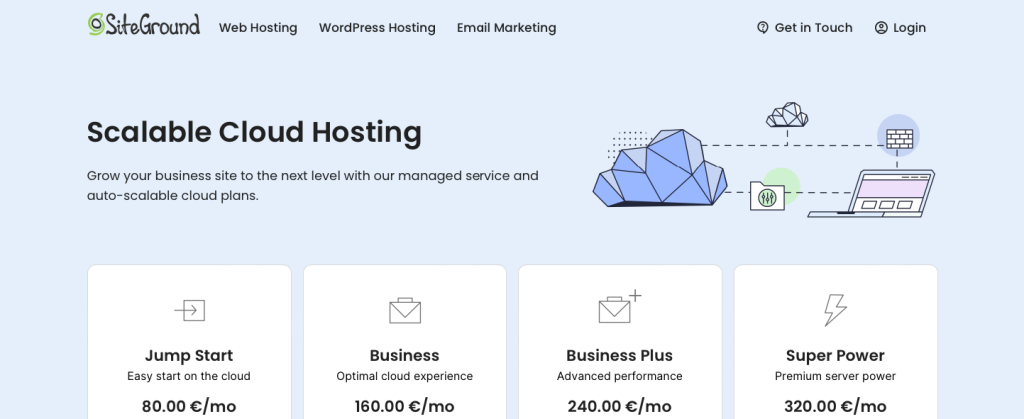
Premium managed shared hosting on Google Cloud with built-in caching, daily backups and strong support. Priced above the budget hosts; worth it when you want hands-off WordPress or Joomla hosting with good performance.
A2 Hosting

Speed-oriented shared and VPS hosting with LiteSpeed “Turbo” servers, root access on VPS plans, multiple PHP versions and staging tools. A good developer-friendly middle ground between budget shared and a VPS.
HostStage (Preferred Choice)

HostStage covers the full Linux range in one account: cPanel shared hosting on NVMe with ECC RAM from $3.95/month, unmanaged Linux VPS from $4.95/month in 17 locations across the US, Europe, Asia and Africa, managed cPanel VPS with the licence included, and dedicated servers up to 10 Gbps. Pricing is identical across regions, so you can place a site in Los Angeles, Amsterdam, Singapore or Lagos for the same monthly cost, and move up a tier without migrating providers.
Common Use Cases for Linux Web Hosting
- WordPress and other CMS sites. The default use case: shared cPanel hosting with Softaculous handles installs, updates and staging; move to a VPS when a WooCommerce catalogue or traffic spikes start hitting limits.
- Online stores. WooCommerce and PrestaShop run well on shared hosting up to a few thousand orders a month; Magento needs a VPS with at least 4 GB of RAM from day one.
- Custom applications and APIs. Node.js, Python (Django, FastAPI), Ruby on Rails or Go services belong on a Linux VPS where you control the runtime, the process manager and the reverse proxy.
- Self-hosted tools. n8n, Nextcloud, GitLab, Mattermost and similar apps ship as Docker images that assume a Linux host with root access.
- Agencies and resellers. WHM on the reseller shared tiers or a managed cPanel VPS lets you give each client an isolated cPanel account.
Conclusion
Linux web hosting is the default for good reasons: it is cheaper, it runs the software most websites are built on, and it is the environment every hosting tool and tutorial assumes. The decision that actually affects your site is the tier. Start with shared cPanel hosting if you run a CMS and want someone else to manage the server; move to a Linux VPS when you need guaranteed resources, root access or a custom stack; and go dedicated when a single workload justifies the whole machine. Choose a provider that lets you make those moves without changing hosts, and pick a distribution with years of support left.
Frequently Asked Questions
Is Linux hosting good for WordPress?
Do I need to know Linux commands to use Linux hosting?
Is Linux hosting cheaper than Windows hosting?
Which is better for a website, Linux or Windows hosting?