
This guide explains how to build and tune a low-latency trading stack from the terminal to the network. It covers VPS placement, CPU/RAM sizing, OS tuning, broker proximity, and configuration tweaks that can save milliseconds in execution.
What Defines Low-Latency Trading Infrastructure?
Low-latency trading infrastructure is not just a fast server—it is a complete system that keeps order travel time both predictable and short. For most retail forex traders using MT4, MT5, or cTrader, an RTT (round-trip time) of 1–5 ms to the broker’s trade server meets low latency criteria. When latency rises to 10–30 ms, scalping and news trading strategies may suffer. Institutional desks target latencies below 1 ms, while specialized systems in microwave and exchange-style market making operate in the microsecond range.
| Setup type | Typical latency to venue | Who it fits | Practical impact |
|---|---|---|---|
| Home broadband | 15–60 ms | Manual swing traders | Acceptable for casual trading, weak for scalping |
| Retail VPS near broker | 1–5 ms | EA users, scalpers | Sufficient baseline for most forex setups |
| Co-located server | 0.1–1 ms | High-frequency and prop trading | Minimizes execution delay and jitter |
| Microwave / specialized links | 50–100 μs* | Institutional arbitrage | Designed for speed at very high cost |
*Benchmark values vary based on route and provider.
Below 5 ms, infrastructure typically isn’t the main bottleneck; above 10 ms, it increasingly becomes a factor in execution performance.
Key Latency Metrics
Start by measuring RTT (round-trip time) – the interval a packet takes to travel to the broker server and back. Tools such as `ping` provide a quick assessment of network distance. For instance, major retail routes might record figures such as:
- LD4 ↔ London broker: 0.2–1 ms
- Frankfurt ↔ London: 8–12 ms
- New York ↔ London: 65–75 ms
- Singapore ↔ London: 160–190 ms
Next, monitor order-to-execution time, which covers the complete span from order departure to broker confirmation. This metric includes both network RTT and broker-side processing. In addition, track slippage standard deviation, since low average slippage can still be problematic if variance is high.
For more details on VPS performance, review the case study on Forex VPS Specs: Sizing for MT4, MT5 & EAs.
Why Every Millisecond Matters in Forex Trading

Even small delays can result in slippage—the difference between the intended entry price and the execution price. For example, in EUR/USD trading, one pip on a standard lot (100,000 units) represents approximately $10. Execution delays add costs that can accumulate significantly during frequent trading or high volatility periods.
| Extra latency | Added slippage @ 0.001 pips/ms | P&L impact per 1 standard lot | Added slippage @ 0.005 pips/ms | P&L impact per 1 standard lot |
|---|---|---|---|---|
| 1 ms | 0.001 pips | -$0.01 | 0.005 pips | -$0.05 |
| 10 ms | 0.010 pips | -$0.10 | 0.050 pips | -$0.50 |
| 50 ms | 0.050 pips | -$0.50 | 0.250 pips | -$2.50 |
| 100 ms | 0.100 pips | -$1.00 | 0.500 pips | -$5.00 |
| 200 ms | 0.200 pips | -$2.00 | 1.000 pips | -$10.00 |
A 100 ms delay might seem negligible on one micro-trade but can be costly when aggregated across many transactions.
Optimizing Network Paths: From Fiber to Microwave
Once server placement is addressed, focus should shift to optimizing the network path. Two data centers within the same city can experience different latencies due to extra hops, congested routes, or suboptimal peering. The distance is just one factor; the quality of routing matters significantly. Fiber optic networks offer consistent and high-capacity performance, while microwave links, although limited in throughput, can be faster along some routes.
For example, a managed VPS can be a cost-effective yet low-latency solution. Retail traders often benefit from setups discussed in the Forex VPS Scalping: Key Criteria & Top Providers case study.
| Link type | Typical one-way latency | Jitter | Throughput | Rough cost per km | Best use case |
|---|---|---|---|---|---|
| Fiber | ~4.8–5.2 μs/km | Low | Very high, often 10 Gbps+ | Low to moderate | Standard broker connectivity, VPS, colo |
| Microwave | ~3.3–4.0 μs/km | Medium | Lower, typically Mbps to low Gbps | High | Ultra-latency-sensitive institutional routes |
| Satellite (LEO/GEO mix) | Much higher | Medium to high | Medium | Very high effective cost | Backup or remote access; not suitable for execution |
Fiber generally provides the best balance for most forex applications, while microwave solutions are reserved for scenarios where every fraction of a millisecond counts.
Traceroute Analysis
Traceroute is used to pinpoint where latency is added along the path. When most hops are consistent but one shows a sudden increase, that particular segment can be the source of delays. Consider this example:
traceroute -n broker.example.com
A significant jump in one of the hops indicates the area where optimization is needed. A slight change in the BGP path may reduce latency by several milliseconds.
Choosing Between Co-location and Managed VPS
When selecting trading infrastructure, deciding between co-location and managed VPS is key. Co-location can deliver ultra-low latencies (typically 0.1–1 ms) by hosting your server in the same facility as the broker. This option, however, brings increased operational complexity. A managed VPS, offering an RTT around 1–5 ms, provides a balance of performance and ease of maintenance for most retail traders and EA-driven systems.
For retail forex traders looking for a low-latency solution without the hassle of managing physical infrastructure, HostStage offers a Managed VPS with cPanel. For example, the HostStage Level 1 Managed VPS plan is available for $37.45 per month and includes 1 CPU core, 1 GB DDR4 ECC RAM, 20 GB NVMe storage, and a 1 Gbps network port. This plan is offered across multiple regions including the USA, Europe, Africa, and Asia, making it a reliable option for consistent trading performance.
Hardware Choices for Tick Data and EA Execution
Once your server is well-positioned in the network, focus shifts to local computation. Critical components include tick-data access and EA execution. Strategies that continuously process market data benefit from faster storage like NVMe SSDs and high clock-speed CPUs.
| Hardware factor | Typical spec | Impact | Practical impact on EA latency |
|---|---|---|---|
| SATA SSD | ~50k–100k IOPS, ~500 MB/s | Slower small-file/random lookups | May add 0.2–2 ms for cache misses |
| NVMe SSD | ~300k–1M+ IOPS, 2–7 GB/s | Faster access with lower latency | Improves performance during heavy data loads |
| CPU clock speed | 3.5–5.2 GHz boost | Faster single-thread performance | Critical for EA logic processing |
| CPU core count | 2–16+ cores | More parallel tasks | Beneficial when running multiple EAs concurrently |
| RAM capacity | 4–32 GB | More data held in fast-access memory | Reduces reliance on slower disk storage |
For many trading platforms, higher clock speeds can be more advantageous than additional cores. For instance, a single EA running at 4.9 GHz on one core might outperform a multi-core system with lower individual core speeds.
Disk vs Memory for Tick-Data Caching
For caching tick data, retaining information in RAM is optimal, with NVMe as a strong secondary option. Frequent data kept in memory minimizes delays caused by disk reads. The commands below can help test cache behavior on Linux systems:
#Clear filesystem cache between test runs

sudo sh -c 'sync; echo 3 > /proc/sys/vm/drop_caches'

#Random 4k read latency test on tick-data directory

fio --name=tickread --directory=/path/to/tickdata --rw=randread --bs=4k --size=512M --iodepth=1 --numjobs=1 --direct=1
OS and Platform Tuning for Minimal Latency
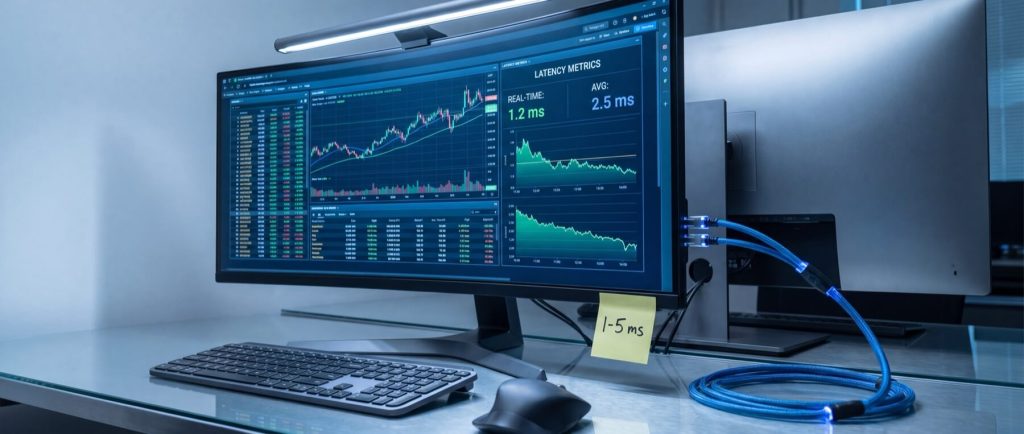
Optimal hardware can be undermined by operating system settings that introduce latency. Tuning Linux involves managing interrupts, setting IRQ affinity, and adjusting network queueing to reduce jitter and ensure consistent packet handling. Consider this configuration snippet for Linux:
/etc/sysctl.d/99-trading-latency.conf

net.core.netdev_max_backlog = 250000

net.core.somaxconn = 4096

net.ipv4.tcp_fastopen = 3

net.ipv4.tcp_slow_start_after_idle = 0

net.ipv4.tcp_mtu_probing = 1

kernel.numa_balancing = 0

kernel.sched_autogroup_enabled = 0
After applying changes, verify settings with:
sudo sysctl --system sysctl net.core.netdev_max_backlog net.ipv4.tcp_fastopen kernel.numa_balancing
For Windows systems, registry modifications can reduce delays—especially those caused by Nagle’s algorithm. A reboot is recommended after changes.
Measuring Jitter After Tuning
A simple ping test shows improvements in jitter:
ping -i 0.2 -c 200 broker.example.com
Observe the `mdev` value; lower values reflect steadier performance.
Mitigating Jitter, Slippage, and Requotes
Low average latency is helpful, but high variance causes jitter, which in turn results in slippage and requotes. Here are three strategies to address this challenge:
1. Tighten Rate-Limiter Behavior
Burst orders can trigger rate limits, causing micro-queues. On Linux, applying a fair queuing discipline helps space out packet transmission:
sudo tc qdisc replace dev eth0 root fq maxrate 1000mbit
Verify with:
tc -s qdisc show dev eth0
2. Pre-emptive Caching for Price and Symbol Data
Keeping frequently accessed data in memory prevents delays from cold lookups. Load symbol metadata and session data ahead of trading sessions.
3. Keep Sessions Warm with Heartbeat Messages
For connections that might go idle, sending periodic heartbeat messages helps avoid delays from session wake-up. For example:
while true; do printf "ping\n" | nc -N broker.example.com 443; sleep 5; done
This approach maintains an active connection and helps deliver consistent latency.
Case Studies: Real-World Forex Latency Improvements
Real-world examples show that reducing latency and variance can improve fill quality. One anonymized forex hedge fund transitioned from a retail VPS with high tail latency to co-location, achieving a dramatic reduction in RTT and slippage.
| Metric | Before: Retail VPS | After: Co-location | Change |
|---|---|---|---|
| Average RTT to broker | 6.8 ms | 0.7 ms | -6.1 ms |
| 95th percentile RTT | 14.2 ms | 1.3 ms | -12.9 ms |
| Average negative slippage | 12 bps | 4 bps | -8 bps |
| Slippage standard deviation | 9 bps | 3 bps | -6 bps |
| Requote rate | 2.1% | 0.4% | -1.7 pts |
Even modest improvements in latency can be the difference between profitable executions and costly slippage. This emphasizes the importance of a well-tuned environment—whether through co-location or a managed VPS.
Conclusion
Building a low-latency trading infrastructure requires attention to both hardware and network configurations. Through careful measurement of latency metrics, optimization of network routes, fine-tuning of operating systems, and smart data caching strategies, traders can achieve the rapid execution needed in competitive markets. For retail traders who want to boost performance without extensive infrastructure management, a managed VPS from HostStage can be a practical solution. Explore HostStage’s Managed VPS with cPanel options to find a plan that balances performance with ease of use. By investing in the right technology, you position your trading strategy for success.