
This article compares top VPS providers by key performance indicators that matter for scalping: latency, uptime, support, and how these parameters align with your trading style. You’ll see why proximity to your broker’s servers, consistent network routes, and adequate CPU headroom are crucial for fast EA execution. For further insights, check out Best VPS Server for MT4: A Guide to Top Providers for more provider comparisons on trading platforms.
Key Comparison Criteria for Forex Scalping VPS
When selecting a VPS for scalping, look at it as a critical trading input rather than a generic hosting plan. The primary aim is to reduce order execution delay, avoid trading platform freezes, and ensure that your terminal remains online during volatile market periods. In practice, five factors are vital: latency, uptime, network quality, compute resources, and trading-specific extras like Windows licensing and preinstalled platforms.
The table below offers a fast decision framework that helps distinguish a true trading VPS from a standard low-cost virtual server that merely uses trading keywords.
| Criterion | Why it affects P&L | Practical benchmark for scalping |
|---|---|---|
| Latency to broker data center | Lower round-trip time reduces order transmission delay and limits slippage | Excellent: under 1 ms if your broker is in the same facility (e.g., Equinix LD4/NY4); Good: 1–5 ms; Risk zone: above 10 ms |
| Uptime SLA | Downtime means missed entries, unmanaged open positions, and disconnected EAs | Minimum acceptable: 99.9%; Better: 99.95%; Serious trading target: 99.99–100% |
| Network peering quality | Direct peering reduces jitter, packet loss, and latency spikes | Stable route to broker hub, packet loss near 0%, jitter ideally under 1–2 ms |
| CPU and RAM allocation | Prevents MT4/MT5 freezes, delayed chart updates, and slow EA execution | Minimum: 2 vCPU / 2 GB RAM; Better: 2–4 vCPU / 4 GB RAM for multiple terminals/EAs |
| Hypervisor technology | Affects how efficiently Windows runs and how well resources are isolated from noisy neighbors | Hyper-V or KVM preferred for Windows workloads; container-based (OpenVZ) less suitable for MT4/MT5 |
| Windows licensing | Affects monthly cost and legal compliance for MetaTrader on Windows | OEM or included license preferred; avoid plans that add $10–$25/month unexpectedly |
| Pre-installed trading software | Saves setup time and reduces configuration errors before going live | MT4/MT5-ready templates are useful, but not at the cost of increased latency |
Latency is crucial because scalping strategies rely on price moves measured in fractions of a pip. For instance, if both your broker’s server and VPS are in LD4 with a clean route, you might see ping under 5 ms. Moving the VPS to Frankfurt or Amsterdam could push latency to 8–15 ms, potentially widening spreads and affecting trade execution.
A useful guideline is this: under 1 ms is premium, 1–5 ms is solid, and above 10 ms works against tight scalping systems. Consistency matters as much as the average latency; a stable 2 ms route with minimal jitter is preferable to a 1 ms route that occasionally spikes.
Uptime is also a critical factor. For example, a 99.9% SLA permits about 43.8 minutes of downtime per month, whereas a 99.99% SLA reduces that to about 4.4 minutes—making the difference between a normally executing session and a risky one during high volatility. A few providers go further: HostStage, for instance, offers a 100% uptime SLA on its Windows VPS, reflecting a level of infrastructure confidence that is uncommon in the trading VPS space.
| SLA | Max monthly downtime | Impact on trading |
|---|---|---|
| 99.9% | ~43.8 minutes | Acceptable for testing; low margin for live scalping |
| 99.95% | ~21.9 minutes | Better baseline for serious retail traders |
| 99.99% | ~4.4 minutes | Essential for fully automated trading setups |
| 100% | 0 minutes | Maximum protection; offered by select infrastructure-focused providers such as HostStage |
Network peering quality is another area where many VPS plans fall short. Even if two servers are located in the same city, differences in transit quality can lead to markedly different performance. Providers that operate their own autonomous network and establish direct peering relationships with Tier-1 transit carriers—rather than reselling capacity from a single upstream—tend to deliver more consistent routes. HostStage, for example, connects each data center location through 50+ Points of Presence and maintains privileged peering contracts with major financial hubs, which helps minimize the number of network hops between you and your broker.
CPU and RAM also matter. While MT4 is light, running several charts, custom indicators, and multiple EAs simultaneously can strain a low-end VPS, making it the bottleneck even if network latency is excellent. The hypervisor layer plays a role here too: Hyper-V (which virtualizes Windows natively) tends to outperform container-based solutions for MetaTrader workloads because the guest OS runs on hardware it was designed for, with full kernel isolation from other tenants.
Scalping VPS Checklist
Use the following checklist when evaluating a VPS for scalping:
- Broker-facing latency under 5 ms, ideally under 1 ms in key data centers like LD4 or NY4
- Uptime SLA of at least 99.9%, preferably 99.95% or better (100% if available)
- Near-zero packet loss and low jitter across a provider’s own backbone
- Minimum 2 vCPU and 2 GB RAM (more if running multiple terminals)
- Windows license included in the price (see Set Up MT4/MT5 on a Windows VPS (Step-by-Step) for guidance)
- A data center location that is near major broker hubs—and ideally a choice of multiple locations
- Hyper-V or KVM hypervisor for optimal Windows and MetaTrader performance
- MT4/MT5 compatibility without the need for manual workarounds
- Support that can address issues related to reboots, routing, and execution
If a provider fails on two or more of these points, it’s generally not optimized for scalping. The next step is comparing providers side by side based on these benchmarks.
Quick Comparison of Top Forex VPS Providers
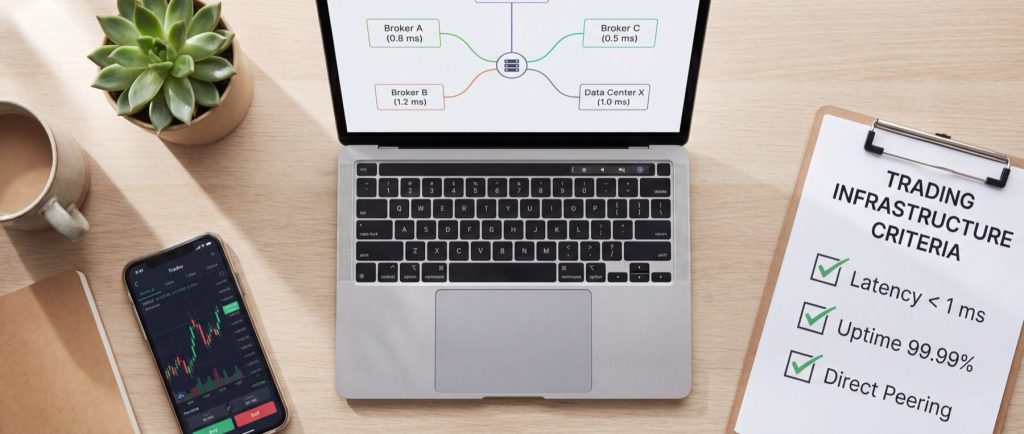
For scalping, the best VPS is the one with the lowest verified latency to your broker’s hub rather than one with a comprehensive feature list. Retail traders aiming at brokers located in major financial centers such as LD4, NY4, or SG1 will quickly narrow their choices.
One important distinction: most forex-specific VPS providers serve only two or three locations, forcing you to pick a new provider if you switch brokers or trade across regions. Infrastructure companies like HostStage that operate in 17 locations worldwide give you the flexibility to deploy close to virtually any broker without starting from scratch.
| Provider | Data center locations | Latency to LD4 / NY4 / SG1 (ms) | Uptime SLA | CPU / RAM options | Monthly pricing (incl. Windows) | Support SLA |
|---|---|---|---|---|---|---|
| HostStage | 17 locations (incl. Atlanta, Los Angeles, Frankfurt, Amsterdam, Paris, Warsaw, Stockholm, Singapore, Tokyo) | ~8 (Paris) / ~27 (Atlanta) / ~1 (Singapore) | 100% | 2–12 vCPU / 2–12 GB DDR4 ECC | $15.95–$95.95 | 24/7 ticket, guaranteed response under 30 min |
| Beeks Financial Cloud | London, New York, Hong Kong (+ select hubs) | 0.3 / 68 / 154 | 99.99% | 2–8 vCPU / 4–16 GB | $35–$120 | 24/7 trading-focused, priority response |
| ForexVPS.net | 22+ locations worldwide | 1.0 / 74 / 165 | 99.99% | 2–6 vCPU / 2–8 GB | $34.99–$69.99 | 24/7 live chat and ticket support |
| Liquidity Connect | London, New York, Singapore (select hubs) | 0.8 / 72 / 160 | 99.99% | 2–4 vCPU / 2–8 GB | $28–$79 | 24/7 ticket, response typically within 30 min |
| NYCServers Trading VPS | New York (primary), London | 71 / 0.5 / 190 | 99.95% | 2–8 vCPU / 2–16 GB | $29–$99 | 24/7 ticket, typical response under 1 hour |
| TradingFXVPS | 8 locations (London, New York, Frankfurt, Amsterdam, Chicago, Singapore, Tokyo, Hong Kong) | 0.3 / 1–2 / 1–2 | 99.99% | 2–8 vCPU / 2–16 GB DDR5 | $20–$65 | 24/7 live chat, avg. under 3 min response |
| Cloudzy Forex VPS | 15+ locations globally | 9 / 11 / 175 | 99.95% | 2–8 vCPU / 2–16 GB | $14.95–$64.95 | 24/7 ticket, variable response times |
No single provider leads in every region; the best approach is to prioritize broker location. For brokers in LD4, Beeks Financial Cloud and TradingFXVPS stand out on raw latency, while HostStage offers competitive proximity combined with a much broader location footprint and a 100% uptime SLA. NYCServers Trading VPS excels for NY4. For Asia-Pacific coverage (SG1, Tokyo), HostStage and TradingFXVPS both provide strong sub-3 ms options.
Price requires context: a $15 plan might seem attractive until you realize it suffers from 8–12 ms more latency compared to a $35 plan. For swing traders, this might be acceptable; for scalpers, even a small latency gap can cost valuable pips. HostStage’s mid-range CAT plan ($31.95/month with 4 vCPU, 4 GB DDR4 ECC, 50 GB NVMe, and an included Windows license) hits a strong balance: it delivers the hardware a multi-EA scalper needs, from a provider with over a decade of experience serving forex traders, at a price point below most forex-specialist alternatives.
| Winner for… | Provider | Rationale |
|---|---|---|
| Lowest latency to LD4 | Beeks Financial Cloud / TradingFXVPS | Sub-1 ms in Equinix LD4 offers superior proximity to London-based broker infrastructure |
| Lowest latency to NY4 | NYCServers Trading VPS | ~0.5 ms to NY4 makes a notable difference in execution speed |
| Lowest latency to SG1 | HostStage / TradingFXVPS | 1–3 ms to Singapore; HostStage also covers Tokyo for Asian session traders |
| Best uptime SLA | HostStage | 100% SLA—the only provider in this comparison offering full uptime guarantee |
| Most data center locations | HostStage / ForexVPS.net | 17 and 22+ locations respectively, ideal for multi-broker or regional traders |
| Best value for multi-EA setups | HostStage | 4 vCPU / 4 GB DDR4 ECC / NVMe / Windows included at $31.95/mo with Hyper-V isolation |
| Best entry-level pricing | Cloudzy Forex VPS | Most cost-effective for initial trading setups, though latency is higher |
| Best support for traders | TradingFXVPS / HostStage | TradingFXVPS: fast live chat. HostStage: guaranteed sub-30-min response with trading-aware support |
The bottom line is to choose based on broker location first, and then account for uptime, pricing, and support.
If your broker is in LD4, start with Beeks Financial Cloud or TradingFXVPS and compare with HostStage Paris or Amsterdam. For brokers in NY4, NYCServers Trading VPS should be considered first, with HostStage Atlanta as a strong alternative offering more scaling headroom and a broader infrastructure ecosystem. And if you trade across multiple regions—or plan to switch brokers—HostStage’s 17-location footprint means you can redeploy without changing providers.
Interpreting Latency Benchmarks and Slippage Impact
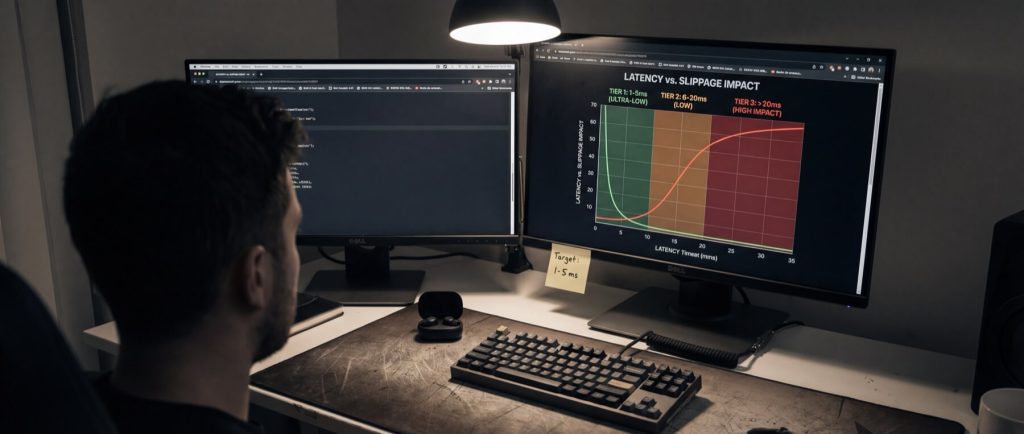
The critical question is not simply whether 2 ms is better than 8 ms but how many pips that difference costs over time. In scalping, fast entry, rapid exit, and timely stop execution are affected by latency differences.
Latency measures the time it takes for your order to travel from your terminal to the broker and back. Slippage is the gap between the requested and executed price. Even slight delays in a fast-moving market can erode profits. A comprehensive benchmark should evaluate average latency, jitter, and fill outcomes to gauge real performance.
How to Read Latency Against Slippage
Latency should be grouped into ranges, with fill quality and average slippage measured across multiple trades. A stable 2 ms route with minimal jitter is preferable to a nominally faster connection that suffers from occasional spikes. This is where peering quality and backbone ownership matter—a provider operating its own network can control routing end to end, while a reseller depends on whatever upstream path happens to be cheapest.
Sample Slippage Impact by Latency Tier
| Latency to broker (ms) | Typical fill quality | Estimated average slippage (pips) | Estimated pips lost per 100 trades | Impact on scalping |
|---|---|---|---|---|
| 0–1 ms | Excellent | 0.01–0.03 | 1–3 | Ideal for very tight scalps |
| 1–5 ms | Very good | 0.03–0.08 | 3–8 | Suitable for most scalping systems |
| 5–10 ms | Good | 0.08–0.15 | 8–15 | May be acceptable if target profits exceed spreads |
| 10–20 ms | Borderline | 0.15–0.30 | 15–30 | Potentially detrimental for high-frequency entries |
| 20–50 ms | Weak | 0.30–0.70 | 30–70 | Likely to erode the scalping edge |
| 50+ ms | Poor | 0.70–1.50+ | 70–150+ | Generally unsuitable for scalping |
The essence is that as latency climbs above 10 ms, slippage becomes a significant issue. For example, an extra 0.2 pips lost on 40 trades can accumulate to around 160 pips over a typical trading month, a substantial setback for a scalper.
Acceptable Latency by Trading Style
Different trading styles require distinct latency targets:
| Trading style | Trade frequency | Typical target size (pips) | Practical latency target |
|---|---|---|---|
| Ultra-fast scalping EA | 50–200 trades/day | 0.5–2 | Under 1 ms preferred, under 5 ms maximum |
| Manual one-click scalping | 10–50 trades/day | 1–5 | Under 5 ms is ideal, under 10 ms workable |
| Session breakout scalping | 5–20 trades/day | 3–8 | Under 10 ms is usually acceptable |
| News trading | Low frequency | Variable | Low latency remains important |
| Intraday non-scalping | 1–10 trades/day | 10+ | 10–30 ms often has limited impact |
For scalpers with tight profit margins and high trade volumes, every millisecond counts.
Why Slippage Is Not Caused by Latency Alone
Even with a low-ping VPS, slippage may occur if a broker has slow internal execution, if there is jitter on the route, or if the terminal is under heavy CPU load. It is essential to measure average latency, jitter, and fill consistency comprehensively. This is also why hypervisor choice matters: a VPS running on Hyper-V with dedicated DDR4 ECC memory will handle MetaTrader’s tick processing more predictably than a container-based VPS sharing kernel resources with dozens of other tenants.
How to Run the Latency Benchmark Yourself
A practical approach is to run a sample MT5 EA on either a demo or low-risk live account over at least 100 trades per VPS location under similar market conditions. Record:
- VPS-to-broker ping (ms)
- Requested price
- Fill price
- Slippage (pips)
- Timestamp
- Spread at entry
Then, export your MT5 account history and execution logs to group results into latency buckets with a template like this one:
| Bucket | Trades | Avg latency (ms) | Avg slippage (pips) | Pips lost per 100 trades |
|---|---|---|---|---|
| 0–1 ms | 100 | 0.6 | 0.01 | 1 |
| 1–5 ms | 100 | 2.8 | 0.03 | 3 |
| 5–10 ms | 100 | 7.2 | 0.07 | 7 |
If you notice that slippage increases sharply after a certain latency threshold, that threshold should guide your VPS choice. For a risk-free way to test, many providers offer trial periods—HostStage includes a 30-day money-back guarantee, letting you benchmark latency to your broker under real conditions before committing long-term.
In-Depth Reviews of Leading Scalping VPS Providers
Raw ping tables are helpful but do not tell the whole story. Factors such as route consistency during peak trading hours, complexities with Windows licensing, and the responsiveness of support during outages all play significant roles in your trading experience.
Providers may change configurations or pricing for extras (such as Windows licensing or MT4/MT5 templates), so use the following sections as a checklist rather than a definitive promise.
HostStage (this is us)
HostStage is an infrastructure-first hosting company with over a decade of experience serving forex traders, SEO professionals, and digital marketers. Unlike forex-only VPS specialists, HostStage is a division of Melbicom Group, which operates 19+ data center locations across its network—giving it the kind of backbone and peering diversity that pure-play forex VPS resellers cannot match.
What sets HostStage apart for scalping:
- Low-density Nodes: HostStage is one of the few providers to run infrastructure with a low node density which means fewer context switches, tighter memory isolation, and no resource overselling between tenants.
- 100% uptime SLA: While most providers cap their guarantee at 99.9% or 99.99%, HostStage commits to 100%. This reflects both the quality of the underlying hardware (enterprise-grade servers costing $20,000+ per node) and the network redundancy across each location.
- 17 global locations: Atlanta, Los Angeles, Frankfurt, Amsterdam, Paris, Warsaw, Stockholm, Singapore, Tokyo, and more. This means you can place a VPS near virtually any major broker hub without changing providers. For traders who work with multiple brokers or shift strategies across sessions (London open → New York overlap → Asian session), this flexibility is significant.
- Own autonomous network with 50+ PoPs: HostStage operates its own network and establishes direct peering relationships with transit partners rather than reselling a single upstream provider’s capacity. This translates to more consistent, lower-jitter routes to financial hubs—exactly what scalpers need.
- Arbor-based DDoS protection (450 Gbps): Distributed across three tunnels for instant mitigation. A DDoS attack during a live scalping session could be catastrophic; this level of protection is typically found in enterprise hosting, not retail VPS.
- Instant vertical scaling: Upgrade CPU, RAM, or storage from the control panel without migration. You pay only the pro-rata difference for the remaining billing period. No downtime, no re-setup.
- Windows license included: All plans ship with a genuine Windows Server license at no extra cost—eliminating the hidden $10–$25/month surcharge that other providers add.
- 30-day money-back guarantee: Test your broker latency risk-free.
Recommended plan for scalping: The CAT plan ($31.95/month) with 4 vCPU, 4 GB DDR4 ECC, 50 GB NVMe, and included Windows license covers most scalping setups comfortably—multiple EAs, two or three MT4/MT5 terminals, and custom indicators running concurrently. Traders with heavier workloads can scale up to the LION plan (12 vCPU / 12 GB) without migration.
Trade-offs: HostStage does not pre-install MT4/MT5 (you install it yourself via RDP, which takes about 5 minutes—see our step-by-step MT4/MT5 setup guide). Some pure forex VPS providers offer one-click platform images, which can save initial setup time. Additionally, because HostStage serves a broader market (not exclusively forex), the marketing is less “trader-centric” than specialists—but the infrastructure underneath is purpose-built for exactly the performance scalpers demand.
For a deeper look at choosing the right HostStage data center for your broker, see Best VPS Location for Your Forex Broker.
BeeksFX
BeeksFX is known for its emphasis on connectivity rather than general-purpose cloud performance. In European routes, sub-1.5 ms latency is achievable with the right metro, making it a strong candidate for London-based scalpers. The service is geared toward institutional and professional traders, with pricing that reflects this positioning. Note that while the SLA is often around 99.9%, Windows licensing may require extra verification before purchase.
TradingFXVPS
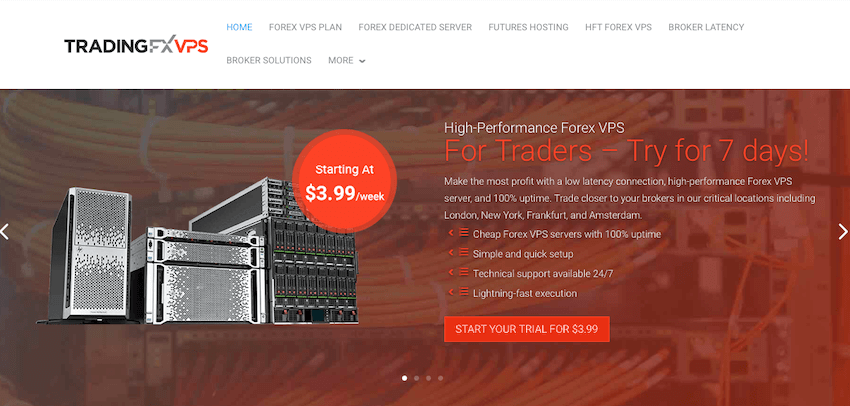
TradingFXVPS has earned strong reviews on Myfxbook (5.0/5) and Forex Peace Army. They deploy in 8 key financial locations with DDR5 RAM, NVMe RAID 1 storage, and 10 Gbps network interfaces. Their fiber cross-connect to major broker facilities achieves as low as 0.3 ms in some hubs. A 7-day trial for $3.99 lets you test execution quality before committing.
The trade-off is that plans can seem complex, with multiple sub-tiers per location. Support response (live chat under 3 minutes) is a notable strength.
Vultr
Vultr offers flexibility with a broad global footprint and NVMe-backed instances in several metro areas. Although not exclusively designed for trading, careful selection of location near your broker can yield latency as low as 1–2 ms. However, trading software is not pre-installed, and Windows licensing is an add-on, potentially increasing overall costs.
Linode
Linode is another budget-friendly option offering reliable network quality when deployed in the correct region. Achieving 1–3 ms latency is possible and can meet scalping needs—provided resources are managed carefully. As with others, verify Windows availability as part of your overall trading platform requirements.
Matching Your Trading Strategy to the Right VPS

A suitable Forex VPS is about fitting the solution to your specific trading style—considering order volume, terminal requirements, acceptable downtime, and needed support. For example, a manual scalper might not need the heavy-duty VPS required by someone running multiple EAs. Scale your VPS to match peak trading loads, such as during market openings or major news releases.
| Trader profile | Typical workload | Recommended VPS spec | Network target | Support SLA | Best reviewed options |
|---|---|---|---|---|---|
| Manual scalper | 1 MT4/MT5 terminal, 5–30 trades/day | 2 vCPU, 2–4 GB RAM, Windows included | Under 5 ms, stable jitter | Response within 15–30 minutes | HostStage, QuantVPS, ForexVPS.net |
| EA runner | 2–4 terminals, 24/5 uptime, 30–150 trades/day | 4 vCPU, 4–8 GB RAM, NVMe storage | Under 3 ms preferred | 24/7 rapid escalation | HostStage, TradingFXVPS, BeeksFX |
| Multi-EA trader | 4–8 terminals with trade copier, custom indicators | 4–8 vCPU, 8+ GB RAM | Under 5 ms consistently | Fast tier-2 support | HostStage, Vultr, TradingFXVPS |
| Arbitrage/latency-sensitive | Very high order frequency, near real-time execution | Minimum 4 vCPU, 4–8 GB RAM | Under 1 ms strongly preferred | Tier-2 support in under 5 minutes | BeeksFX, QuantVPS |
| Multi-region trader | Trades across London, New York, and Asian sessions with different brokers | 2–4 vCPU, 4 GB RAM per region | Under 5 ms in each region | Unified support across all instances | HostStage |
| Test/backup environment | Secondary terminal, low live risk | 2 vCPU, 2 GB RAM | Under 10 ms acceptable | Standard ticket support | Linode, Cloudzy, HostStage entry plan |
Pre-Purchase Checklist
Before ordering a VPS, consider these questions:
- How many trades occur during your peak sessions?
- How many MT4/MT5 terminals will you run?
- Does your trading setup involve custom indicators, copiers, or news filters that increase CPU load?
- How close is the VPS to your broker’s server? (Use HostStage’s latency guide to check)
- Can the provider offer a test IP for latency verification, or a money-back trial period?
- Is Windows licensing included, and is Remote Desktop enabled out of the box?
- Does the provider use Hyper-V or KVM for Windows virtualization (avoid OpenVZ)?
- What backup frequencies are provided?
- How rapidly can support respond during critical trading hours?
- Is vertical scaling available without the need for migration?
After verifying these points, you’ll be better positioned to choose a VPS that suits your trading needs without compromise.
When to Scale Up vs. When to Scale Out
Determine whether performance issues stem from resource constraints or geographic distance. For example:
| Symptom | Likely bottleneck | Recommended action |
|---|---|---|
| Lag when multiple charts update simultaneously | CPU/RAM shortage | Upgrade CPU and RAM (HostStage allows instant scaling from the control panel) |
| Memory nearing full capacity on a single VPS | Memory pressure | Increase RAM or distribute terminals across VPS instances |
| Good local performance but high broker latency | Geographic distance | Add a VPS closer to the broker’s location (HostStage offers 17 locations to choose from) |
| Trading across various broker regions | Diverse geographies | Deploy multiple data center instances under a single provider account |
| Critical uptime requirements during provider outages | Single point of failure | Deploy a backup VPS in a secondary data center |
Providers that offer instant vertical scaling—such as HostStage, where upgrades are applied pro-rata from the control panel—let you react to changing workloads without the hassle of migrating to a new instance.
Final Checklist Before You Commit
- Confirm your broker’s server location and choose a VPS near that hub.
- Verify the plan offers enough headroom for peak trading loads.
- Check that Windows licensing is included to avoid unexpected costs.
- Assess backup frequency and scaling options in line with your risk tolerance.
- Ensure support can respond swiftly during high-pressure trading sessions.
A well-chosen VPS helps maintain your trading edge by preserving low latency and high uptime when every millisecond counts.
For additional guidance on optimizing your trading setup, explore VPS Hosting for Forex: Boost Your Trading Performance and Secure Your Forex VPS: RDP Hardening + Time Sync.
FAQ
Q1: What is a Forex scalping VPS?
A Forex scalping VPS is a dedicated virtual private server designed to minimize latency and ensure consistent performance during high-frequency trading sessions. It runs your MT4/MT5 terminal 24/7 in a data center close to your broker.
Q2: How do I choose the best Forex VPS for scalping?
Focus on the VPS’s proximity to your broker, low latency (ideally under 5 ms), consistent uptime, and specific trading features like included Windows licensing and Hyper-V virtualization. Providers with multiple data center locations—such as HostStage with 17 locations—give you flexibility to match any broker.
Q3: Why is low latency crucial for scalping?
Low latency reduces order execution delays and minimizes slippage, which is essential when operating with tight profit margins measured in fractions of a pip. As latency exceeds 10 ms, slippage compounds across trades and can erode a scalping strategy’s edge over time.
Q4: Do VPS providers offer trading-tailored support?
Yes, many trading-focused providers offer 24/7 support with expertise in handling both platform issues and network routing challenges. HostStage guarantees a response time of under 30 minutes, and its support team is experienced with MetaTrader-specific issues like EA auto-start, RDP optimization, and NTP time synchronization.
Q5: Can I upgrade my VPS resources without downtime?
Many providers, especially those catering to traders, offer instant vertical scaling options such as additional CPU or RAM with minimal interruption. HostStage, for example, lets you upgrade or downgrade directly from the control panel, charging only the pro-rata difference for the rest of your billing period.
Q6: Does the hypervisor type matter for forex trading?
Yes. Hyper-V and KVM are type-1 hypervisors that give each VPS its own isolated virtual hardware, resulting in more consistent performance under load. Container-based solutions like OpenVZ share the host kernel, which can introduce performance variability during peak trading hours. For Windows-based MetaTrader workloads, Hyper-V is generally the best choice—it’s what Microsoft designed Windows Server to run on.
Q7: What is the best VPS for trading across multiple broker regions?
If you trade with brokers in London, New York, and Singapore, you need a provider with data centers in all three regions. HostStage covers 17 locations close to the major financial hubs, letting you deploy region-specific VPS instances under a single account with unified billing and support.