
This guide explains how much CPU, RAM, and disk you need for MT4, MT5, and multiple EAs, and how to size a trading VPS for low-latency execution without overprovisioning.
Why Proper VPS Specs Matter for Forex Trading Performance
Your VPS specs affect three critical areas in live trading: the speed at which your EAs process ticks, the stability of your terminals under load, and the reliability of background tasks such as logging and backups. When one of these resources becomes a bottleneck, delayed order execution, frozen charts, or terminal instability can result.
CPU is the first resource where improper sizing has a negative effect. An EA must handle ticks, recalculate indicators, evaluate rules, and sometimes manage several open positions concurrently. High CPU usage (90–100%) causes tasks to queue, turning a 5–10 ms decision loop into 50–200 ms during busy market periods. For scalpers and news traders, such delays can mean missing the intended entry price.
CPU saturation is similar to a single cashier at a busy checkout: if too many tasks come in at once, the processing delay compounds. The goal is not to simply add more cores but to ensure there is enough CPU headroom so that your strategy does not fall behind.
RAM is equally important. MetaTrader terminals, indicators, chart history, and background services all consume memory. When available RAM runs low, the operating system resorts to swapping, transferring data to disk. Because disk operations are significantly slower, the terminal may stutter, charts may update poorly, and EAs might respond slowly or become unstable. If your VPS shows as “online” while MT4 or MT5 feels sluggish, memory pressure is likely to blame.
Disk performance also demands attention. Trading servers write a lot of data through logs, journal files, historical data updates, and backups. On slower storage, these writes can accumulate and cause I/O wait times. Although disk delays rarely prevent an order from reaching your broker, they can make the VPS feel inconsistent when background tasks are heavy.
The data illustrate that under-provisioned VPS plans cause small delays across CPU, memory, and disk, which can compound into worse execution quality and reduced platform reliability. Determining your workload’s requirements begins with CPU cores—the resource most directly influencing how quickly your EAs can function.
Official MetaTrader Requirements vs What Actually Works on a VPS
MetaQuotes publishes minimum requirements for the terminals, and traders regularly search for them expecting a sizing answer. They are not one. The official minimums describe a terminal that opens and connects on a desktop PC; they say nothing about running several charts, custom indicators and EAs around the clock on a shared virtual CPU. The table puts the published minimums next to the footprint we measure on live VPS setups.
| Resource | MT4 Official Minimum | MT5 Official Minimum | Realistic per Terminal on a VPS (live, 5–10 charts, 1–3 EAs) |
|---|---|---|---|
| CPU | 1 GHz (2 GHz recommended) | 1 GHz | 8–15% of one vCPU at moderate load, 20–35% at heavy load, with spikes on news |
| RAM | 512 MB (1 GB recommended) | 2 GB | MT4 300–500 MB, MT5 400–700 MB at medium load — before OS overhead and headroom |
| Disk | Not specified | About 1 GB free | 2–5 GB per terminal once history, logs and backtest data accumulate; SSD/NVMe matters more than size |
| Operating system | Windows (or Wine on Linux) | Windows 7–11, 64-bit preferred | Windows Server on the VPS adds roughly 1–1.5 GB of RAM use of its own |
Read the official numbers as the floor below which the terminal will not run, and size from the right-hand column. A 2 GB Windows VPS meets MT5’s official minimum on paper and still swaps under a single moderately loaded MT5 terminal once the operating system takes its share.
One Terminal Per Account, or One Terminal for All?
A MetaTrader terminal trades one account at a time, so running several live accounts means several terminals — the question is only whether you also split EAs across terminals. For stability, isolate: one terminal per account (and per unrelated strategy) in its own installation folder. If one terminal freezes, mis-updates or gets a bad settings change, the others keep trading, and troubleshooting is a single log file rather than a tangle. The cost is resources — each terminal carries its own footprint from the table above, so four isolated MT5 terminals need the 8 GB tier, not 4 GB. Consolidate only for related EAs on the same account, and never above the point where the CPU headroom described below disappears.
CPU Cores: Matching Core Count to EA Workloads

If one terminal runs well but performance degrades with five terminals, CPU scheduling is likely the issue. The practical goal is to have enough vCPU cores so that your EAs can process ticks immediately, without waiting for other processes or background tasks.
A useful rule is to size your CPU based on the workload per terminal rather than just the total number of terminals. For instance, an idle MT4 instance with a couple basic indicators may use 2–5% of a single vCPU. A moderately active setup can typically use around 8–15% per terminal, while heavier setups may push usage to 20–35% per terminal—with spikes even higher during volatile periods.
Keep in mind that MT4 and MT5 don’t distribute every task evenly across all cores. Certain processes remain effectively single-threaded within one terminal or EA loop. Upgrading from 2 to 8 cores may not make a poorly optimized EA four times faster, but additional cores provide breathing space when running multiple terminals or several EAs in parallel.
For more detailed VPS configuration guidance, review our step-by-step guide on setting up MT4/MT5 on a Windows VPS.
Our plan recommendations suggest that 2 cores suit small, light setups, 4 cores offer a safe middle ground for several active terminals, and 8 cores make sense for running many terminals or heavier EAs.
For most KVM-based trading VPS setups:
| vCPU cores | Best fit | Typical EA load |
|---|---|---|
| 2 cores | 1–4 MT4/MT5 terminals | Light to moderate |
| 4 cores | 5–10 terminals | Moderate, with some heavier charts |
| 8 cores | 10–20 terminals | Heavy multi-EA or multi-terminal setups |
After about 5 active terminals, a 4-core setup can typically prevent CPU contention from manifesting as trading lag. Note that KVM virtualization provides better isolation than older shared-kernel virtualization models, although a small virtualization overhead (usually 2–8%) remains.
RAM Sizing: Ensuring Stability for Multiple Terminals
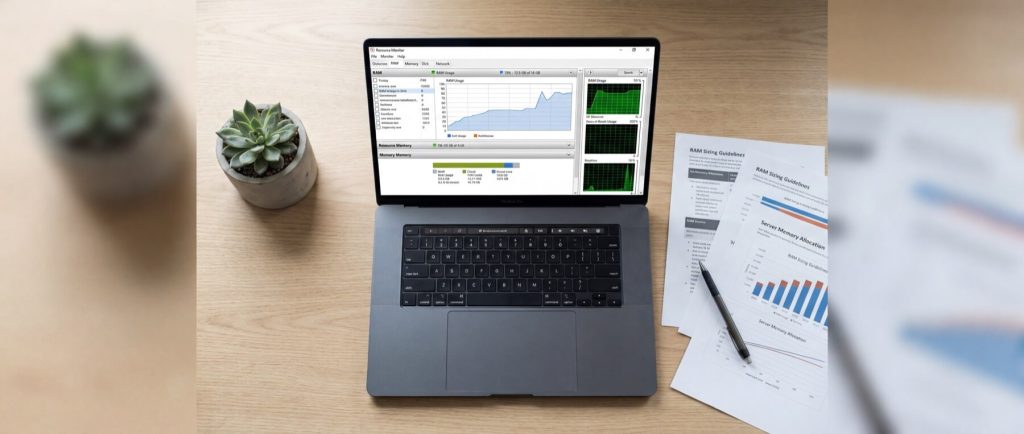
If CPU determines execution speed, RAM ensures that execution remains stable. The goal is to provide each terminal with sufficient memory for charts, indicators, history, and background tasks, while avoiding a memory state that forces the OS to swap data to disk.
A common approach is to size RAM based on the terminal footprint under your specific chart load, then add extra for operating system overhead and a safety margin. MT4 is typically lighter than MT5, which manages more data structures and complex indicators. Two VPS plans with the same CPU can perform very differently based on available RAM headroom.
For example, a typical baseline for one terminal under live conditions is:
| Platform | Light load | Medium load | Heavy load |
|---|---|---|---|
| MT4 | 180–300 MB | 300–500 MB | 500–900 MB |
| MT5 | 250–400 MB | 400–700 MB | 700 MB–1.2 GB |
And when you compare a chart with 5 indicators to one loaded with 20 custom indicators:
| Platform | 5 indicators per terminal | 20 indicators per terminal |
|---|---|---|
| MT4 | 280–450 MB | 550–900 MB |
| MT5 | 380–650 MB | 800 MB–1.4 GB |
For additional performance tips, review our article on VPS Hosting for Forex: Boost Your Trading Performance.
A practical formula is:
Total RAM needed = OS overhead + (number of terminals × RAM per terminal) + 25–40% headroom
Here are typical targets:
| VPS RAM | Good fit |
|---|---|
| 2 GB | 1 light MT4 terminal, minimal indicators |
| 4 GB | 2–4 light MT4 terminals or 1–2 moderate MT5 terminals |
| 8 GB | 4–8 MT4 terminals or 3–5 MT5 terminals with moderate indicator load |
| 16 GB | 8–15 MT4 terminals or 6–10 MT5 terminals, mixed EA usage |
| 32 GB | Large multi-terminal setups, heavy MT5 use, dense indicator stacks |
While 8 GB is common for mid-range needs, be sure to size for peak usage to avoid performance issues.
Disk Performance: SSD vs NVMe for Log-Intensive Trading
If addressing CPU and RAM doesn’t resolve VPS sluggishness, disk performance is the next factor. Forex platforms continuously generate small disk writes—logs, journal files, price history updates, crash recovery files, and backups. In this scenario, the key metrics are latency and IOPS rather than raw disk capacity.
Disk delays may not directly block an order but can slow background tasks such as logging and snapshot creation. On slow storage, queued write operations can lead to inconsistent performance.
Comparing standard SATA SSDs and NVMe SSDs shows that NVMe generally offers lower write latencies because it communicates with the CPU over PCIe lanes rather than SATA. This advantage becomes more pronounced when multiple processes are writing to the disk simultaneously.
For a light setup (1–2 terminals), target at least 3,000–5,000 write IOPS, under 2 ms write latency, and 100 MB/s sustained throughput. For heavier setups, higher IOPS and lower latency become essential.
The bottom line is that NVMe becomes the preferred option when your environment needs to handle many small, simultaneous writes, reducing delays during critical trading moments.
Finding the Sweet Spot: Balancing Cost and Performance
The optimal Forex VPS is not the one with the largest specs but the smallest one that maintains CPU below saturation, prevents RAM swapping, and keeps disk latency low during logging and backups. It’s generally better to size your plan for peak load plus an extra 25–40% headroom rather than only optimizing for average use.
When choosing a VPS plan, consider the following:
- An entry tier for a few light EAs where cost is a factor.
- A mid-range setup for active trading with minimal slowdowns.
- A high-end plan for dense setups or anticipated rapid growth.
For most MT4/MT5 configurations, maintaining usage under 70% for RAM and CPU, with disk performance that avoids lag from log write delays, is a solid target.
Planning for Growth: Upgrades and Auto-Scaling Options
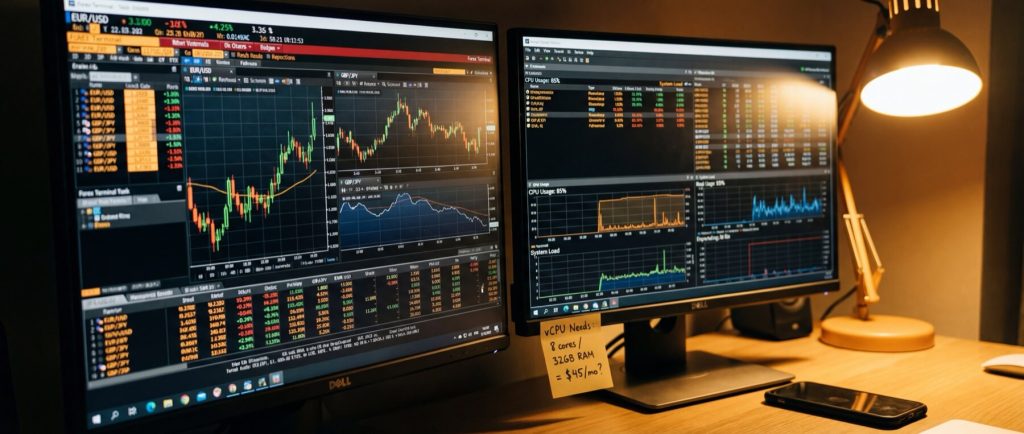
If your VPS is nearing its capacity, it’s best to plan upgrades ahead of time. Expanding CPU, RAM, or disk resources without taking your trading session offline is critical. For Forex workloads, vertical scaling—upgrading vCPU, adding RAM, or moving from standard SSD to NVMe storage—is usually the most straightforward approach.
The upgrade process is often smooth: CPU and RAM enhancements typically retain the same VPS, IP address, and operating system, while disk upgrades might need a storage migration. Confirm that your provider supports live in-place volume upgrades or a rapid live move to a faster tier.
A practical baseline for many MT4/MT5 setups is 2 vCPU, 2–4 GB RAM, and fast NVMe storage, with an upgrade to 4 vCPU and 8 GB RAM if additional terminals or heavier loads are used.
In mid-discussion on resource scaling, consider how a targeted, cost-effective solution can be implemented. For instance, HostStage’s Windows VPS KITTEN plan at $15.95 per month provides 2 vCPU, 2 GB DDR4 ECC RAM, and 30 GB NVMe storage, making it a viable starting point for light MT4 setups.
This example illustrates how a well-chosen VPS plan can address current needs while offering a path for future upgrades.
FAQ
Q1: What VPS specs do I need for a light MT4 trading setup?
A1: For a light MT4 setup, 2 vCPU, 2–4 GB RAM, and standard SSD storage are typically sufficient.
Q2: How do CPU cores affect my trading EA performance?
A2: More cores provide extra headroom, ensuring your EAs process ticks promptly even during market spikes.
Q3: Why is RAM so important for Forex VPS performance?
A3: Adequate RAM prevents the OS from swapping to disk, which can lead to delays in chart updates and EA responses, ensuring stable performance even under load.
Q4: When should I upgrade from a SATA SSD to an NVMe SSD?
A4: Upgrade to NVMe SSD when your trading setup needs to handle many small writes concurrently; NVMe typically offers lower write latency and higher IOPS than SATA SSDs.
Q5: What is auto-scaling and how does it help in a trading environment?
A5: Auto-scaling automatically increases resources (CPU/RAM) during usage spikes, ensuring your VPS remains responsive during high trading activity without manual intervention.
Q6: When should I upgrade my Forex VPS resources?
A6: Upgrade when sustained CPU sits above roughly 70% during active sessions, when free RAM drops below the 25–40% headroom described above (or the OS starts swapping), or when you add a terminal that pushes the total footprint past your tier. Waiting for frozen charts or missed entries means you upgraded one news event too late.
Q7: Is it more stable to run one MT5 terminal with multiple accounts or a separate terminal per account?
A7: A terminal trades one account at a time, so multiple live accounts require multiple terminals anyway. Give each account its own installation folder: a crash or bad update stays contained, and log analysis is simpler. Budget the extra RAM per terminal from the sizing tables above.