
An Expert Advisor (EA) is a programmable script for MetaTrader 4 or MetaTrader 5 that monitors market data and executes pre-defined trading rules automatically. An EA is actual code—usually written in MQL4 or MQL5, MetaTrader’s built-in programming language—that reacts to events such as a new price tick and decides whether to place, modify, or close an order.
This simple MQL5 example demonstrates the concept:
void OnTick() {

double ask = SymbolInfoDouble(_Symbol, SYMBOL_ASK);

if(ask < 1.0800)
trade.Buy(0.10, _Symbol);

}
The example does as follows: OnTick() runs automatically every time the market receives a new price update. SymbolInfoDouble(_Symbol, SYMBOL_ASK) retrieves the current ask price of the active trading pair or asset. The condition if(ask < 1.0800) checks whether the ask price is below 1.0800. If the condition is true, trade.Buy(0.10, _Symbol) opens a buy order of 0.10 lots on the current symbol.
Compile the file in MetaEditor and check the Experts tab in MT5 for a trade action or log entry after the price moves below the condition. The key point is that an EA encodes strategy logic into MetaTrader rather than acting as an opaque system.
Why Expert Advisors Matter for Forex Traders

The value of an EA lies in its ability to maintain execution quality when reaction times slow and manual delays occur. In fast-moving Forex markets, even a 2-5 second delay can cause significant differences in entry price. During volatile events such as a news spike on EUR/USD, price can move several pips within seconds. For example, if a strategy targets 12 pips with a 10-pip stop-loss, a delay that costs 4 pips severely impacts one-third of the intended profit. Automation ensures that trading rules are executed exactly as programmed.
Automated trading also removes the emotional burden of manual execution. Human traders might widen stop losses, exit positions too early, or miss setups entirely, which disrupts the integrity of the strategy. An EA applies the same rule consistently, allowing for a more objective evaluation of performance.
How Expert Advisors Work: A Workflow Overview
An EA operates through a four-stage pipeline: data ingestion, rule evaluation, order execution, and trade management. Understanding this flow clarifies EA behavior.
A trading bot continuously receives live market data such as bid/ask prices, spreads, candle updates, and technical indicator values. When new data arrives, an event trigger activates the bot logic — OnTick() runs whenever a new market tick is received, while OnTimer() runs at fixed intervals like every second or minute. The strategy module then analyzes the market conditions by checking entry rules, filters, risk parameters, and allowed trading times. If the conditions are met, the order execution layer sends trading instructions such as buy or sell orders, stop orders, limit orders, and stop-loss/take-profit settings to the broker server. Once trades are open, the position management system monitors them and can adjust trailing stops, partially close positions, or scale out of trades automatically. The system logs the actions and repeats the process continuously as new market data arrives.
The live price feed supplies raw data that triggers events. In MQL5, OnTick is the primary trigger for price-driven logic, while OnTimer is suited for periodic checks. The strategy module evaluates market conditions and instructs order execution if conditions are met. Position management continuously adjusts trades, and the cycle repeats either in real time or during backtesting with historical data.
Common EA Strategy Types and When to Use Them
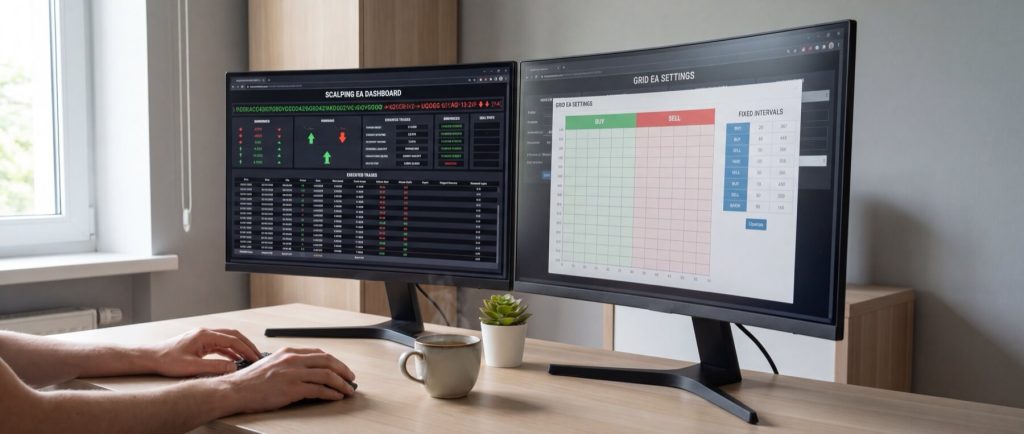
Different strategies suit different trading styles. Consider the following types:
Scalping EAs
Scalping EAs perform many small trades, targeting 2–10 pips per trade on short timeframes (M1–M5 charts). They operate continuously to exploit minute price movements and require precise execution.
Grid EAs
Grid EAs place buy and sell orders at fixed intervals to capitalize on price oscillations, particularly in range-bound markets. However, accumulating losses may occur before a rebound, so these systems work best in steady, predictable ranges.
Martingale EAs
Martingale strategies increase lot sizes after a loss in an attempt to recover previous losses with a winning trade. This approach may show small wins initially but can result in exponential exposure. Extreme caution is advised with this method.
Trend-following EAs
Trend-following EAs enter trades based on sustained market momentum using indicators such as moving averages or ADX. They typically trade less frequently but aim for higher returns during strong market moves.
Breakout EAs
Breakout EAs trade when the price breaches key support/resistance levels or high/low zones during major market sessions. They offer defined entry points without requiring constant high-frequency trading.
Key Traits of Profitable EAs and How to Monitor Them
A reliable EA maintains consistency with risk management, trade sizing, logging, and safe shutdowns in adverse conditions. A system with a high win rate but deep drawdowns may be less effective than one with moderate wins and controlled losses.
8-Trait Checklist: What to Measure
- Fixed risk cap per trade (usually 0.25% to 1% of account balance)
- Max daily loss limit (e.g., 2% to 3% loss triggers a trading halt)
- Controlled drawdown within expected limits (e.g., under 10-15% for conservative systems)
- Adaptive trade sizing based on balance or market volatility
- Spread filter to skip entries when spreads exceed limits (e.g., 1.5 to 2.0 pips on EUR/USD)
- Error handling to manage duplicate orders and gracefully handle failures
- Detailed logging of trades, modifications, and errors
- Stable trade frequency matching the designed strategy
Consistent measurement allows traders to assess whether an EA is truly performing well.
Three Live Metrics Indicating Trouble
Review these metrics for early warning signs:
| Metric | Healthy Signal | Warning Sign | Why It Matters |
|---|---|---|---|
| Win Rate | Within 5–10 percentage points of baseline | Sudden drop over 20–30 trades | Indicates potential breakdown in entry logic |
| Drawdown | Gradual rise within expected limits | Sharp jump in a short period | Signals increased risk and potential for compounding losses |
| Trade Frequency | Consistent with the EA design | Rapid drop or spike in trade numbers | May indicate issues with filtering or order execution |
Execution Performance: Manual vs Automated Trading
Execution speed is a critical factor even with solid EA logic. Key performance metrics include:
- Order placement latency (measured in milliseconds)
- Slippage frequency (how often orders are filled at prices different from those requested)
- Fill rate (the consistency of order executions without rejections or partial fills)
Compared to manual trading, which is affected by human reaction times and connectivity issues, an EA running on a Virtual Private Server (VPS) minimizes these delays. For example, typical metrics might be:
| Metric | Manual Desktop | EA on VPS | Winner |
|---|---|---|---|
| Order Placement Latency | 800ms–2500ms | 15ms–80ms | EA on VPS |
| Slippage Rate | 12%–28% in fast markets | 3%–9% in fast markets | EA on VPS |
| Fill Consistency | Moderate | High | EA on VPS |
| Fill Rate | 90%–96% | 97%–99% | EA on VPS |
For strategies such as scalping and breakout trading, even minor improvements in latency and reduced slippage can have a significant impact on profitability. You can learn more about optimizing order execution with a VPS in our MT4 & MT5 on VPS guide.
VPS Essentials for Hosting Forex EAs
Improved execution consistency often depends on where your EA runs. A VPS offers reliable 24/7 uptime and low network latency to your broker’s servers. To achieve optimal performance, target a VPS with 99.9%+ uptime and a network ping under 10 ms. For a detailed overview of the necessary specifications, refer to our guide on Forex VPS Specs for MT4/MT5.
Recommended VPS Specs by EA Count
| Active EA Count | Typical Setup | Recommended CPU | Recommended RAM | Storage | Best Fit |
|---|---|---|---|---|---|
| 1–2 EAs | 1 MT4/MT5 terminal, few charts | 1 vCPU | 2 GB | 25 GB NVMe | Single strategy, low chart count |
| 3–5 EAs | 1–2 terminals, moderate indicators | 2 vCPU | 4 GB | 40 GB NVMe | Most retail traders |
| 6–10 EAs | 2–3 terminals, multiple symbols | 4 vCPU | 8 GB | 60 GB NVMe | Multi-pair automation |
| 10+ EAs | Several terminals, extensive logs and backtests | 6+ vCPU | 12–16 GB | 80+ GB NVMe | Portfolio-style setups |
Fast NVMe storage ensures rapid log writing and reduces lag during busy trading sessions.
Network Features That Impact Order Fills
The quality of the VPS network is crucial. Providers with global nodes near major broker data centers and strong peering arrangements reduce latency and improve order stability. Running a continuous ping test to your broker’s server can help verify performance. For example:
ping -c 20 broker-server.example.com
A typical output may be:
rtt min/avg/max/mdev = 2.1/3.8/5.4/0.7 ms
If your average latency is below 10 ms, your VPS setup is well-optimized; otherwise, consider relocating your VPS closer to your broker’s servers.
Getting Started: Building vs Pre-Built Expert Advisors

After optimizing your execution environment, you must decide whether to build your own EA or purchase a pre-built version. This decision depends on your coding skill, need for customization, and budget.
- Build Your Own EA: Ideal if you have experience with MQL4/MQL5 or access to a developer, providing full transparency and customization of entry filters, risk management, and rule settings.
- Buy a Pre-Built EA: Best for a quick setup with minimal technical involvement, though these systems may offer less customization.
Broker and VPS Selection Checklist for Expert Advisors
Every link in the trading chain affects EA performance. When evaluating brokers and VPS providers, consider the following:
- Broker Execution Speed: Verify that average execution times are documented and remain under 100 ms, particularly for scalping.
- Slippage: Review trade logs for differences between requested and executed prices over a significant number of trades.
- Platform Compatibility: Ensure stable MT4/MT5 support or API access as required.
- Regulation and Security: Confirm that brokers are well-regulated and provide clear fund protection measures.
- VPS Uptime: Select a VPS offering at least a 99.9% uptime SLA.
- Network Peering: Choose VPS locations with excellent peering arrangements near your broker’s servers.
- Scalability: Ensure your VPS plan allows for easy upgrades in CPU, RAM, or storage as needed.
- Cost-Effectiveness: Compare monthly costs; typically, VPS plans in the $10–$40/month range suit retail EA trading.
Each element of this checklist works together to create a reliable trading environment. If your EA is central to your workflow, running it on a VPS close to your broker’s servers—rather than on a home desktop—can reduce slippage, minimize disconnect risks, and ensure consistent performance.
FAQ
What is an Expert Advisor (EA) in Forex trading?
An EA is a programmed script for MetaTrader that automates trading rules, handling entries, exits, and trade management automatically.
How does an EA improve trade execution?
EAs remove inconsistencies caused by human reaction times by executing orders based on pre-set rules, thereby minimizing slippage and ensuring timely order submission.
Why is VPS hosting important for running an EA?
A VPS offers 24/7 uptime and low network latency, ensuring that your EA receives market data and executes orders quickly. For more details, see our MT4 & MT5 on VPS guide.
Should I build my own EA or buy a pre-built one?
It depends on your technical skills and customization needs. Build your own EA for full control, or choose a pre-built option for a quick, supported setup.
How can I monitor if my EA is performing correctly?
A: Regularly track key metrics such as win rate, drawdown, trade frequency, and order execution latency to identify issues before they impact trading results.