
Struggling to measure and optimize latency between your Forex VPS and broker? A 20 ms delay can make the difference between a successful trade and missed opportunities. This playbook explains how to run ping and traceroute tests, interpret the results, and identify the parts of your network path that cause significant delay. For more advice on choosing the right server for your platform, check out Best VPS Server for MT4: A Guide to Top Providers.
Get Your Forex VPS →
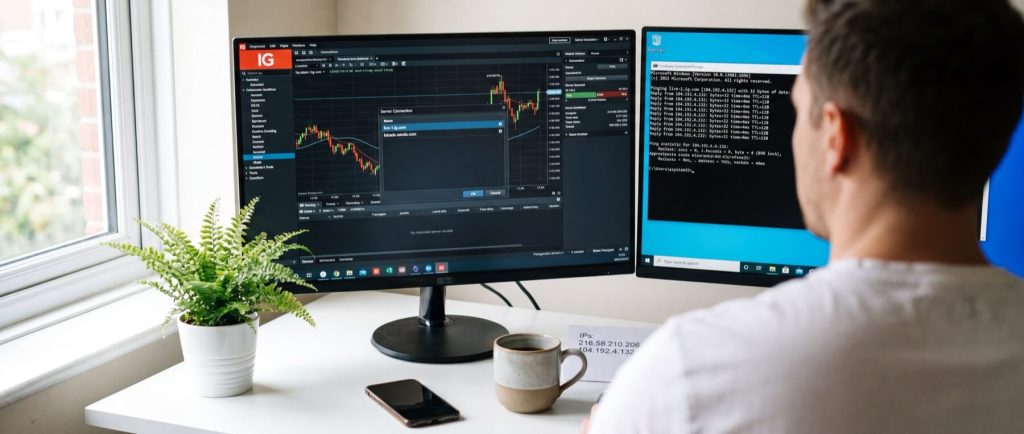 Before measuring latency, ensure that you are testing the correct destination. Many traders mistakenly ping the broker’s website, which provides little insight into trade execution. Instead, use the exact trading server hostname or IP used by your MT4, MT5, or cTrader platform.
For instance, some brokers may display names such as `live-1.ig.com` or `fxtrade.oanda.com`, but the precise trading endpoint can vary by account type, platform, and region. Open your trading terminal, check the connected server name, and record it exactly. If your broker provides an IP address directly, record that too. Hostnames adjust automatically with DNS changes, while an IP bypasses one lookup step.
You will also need a machine capable of running basic network tools. A Windows PC works fine using Command Prompt or PowerShell, but using a VPS is ideal when your trading bot runs from there—latency from your home connection is irrelevant. On Linux, SSH into the VPS and make sure the ping utility is available; for later route tests, install traceroute or tracepath.
Before testing any broker server, confirm that your machine has a stable internet connection. Test with a public target first:
If you see replies like `time=12 ms` (on Windows) or `64 bytes from 8.8.8.8` (on Linux), your connectivity is good. Otherwise, resolve your network issues before proceeding.
Replace `broker.example.com` with your actual broker hostname or IP. A sample output could be:
A typical output appears as:
Focus on the minimum, average, and maximum values for your analysis.
Before measuring latency, ensure that you are testing the correct destination. Many traders mistakenly ping the broker’s website, which provides little insight into trade execution. Instead, use the exact trading server hostname or IP used by your MT4, MT5, or cTrader platform.
For instance, some brokers may display names such as `live-1.ig.com` or `fxtrade.oanda.com`, but the precise trading endpoint can vary by account type, platform, and region. Open your trading terminal, check the connected server name, and record it exactly. If your broker provides an IP address directly, record that too. Hostnames adjust automatically with DNS changes, while an IP bypasses one lookup step.
You will also need a machine capable of running basic network tools. A Windows PC works fine using Command Prompt or PowerShell, but using a VPS is ideal when your trading bot runs from there—latency from your home connection is irrelevant. On Linux, SSH into the VPS and make sure the ping utility is available; for later route tests, install traceroute or tracepath.
Before testing any broker server, confirm that your machine has a stable internet connection. Test with a public target first:
If you see replies like `time=12 ms` (on Windows) or `64 bytes from 8.8.8.8` (on Linux), your connectivity is good. Otherwise, resolve your network issues before proceeding.
Replace `broker.example.com` with your actual broker hostname or IP. A sample output could be:
A typical output appears as:
Focus on the minimum, average, and maximum values for your analysis.
For more on low-latency trading strategies, read Forex VPS Scalping: Key Criteria & Top Providers.
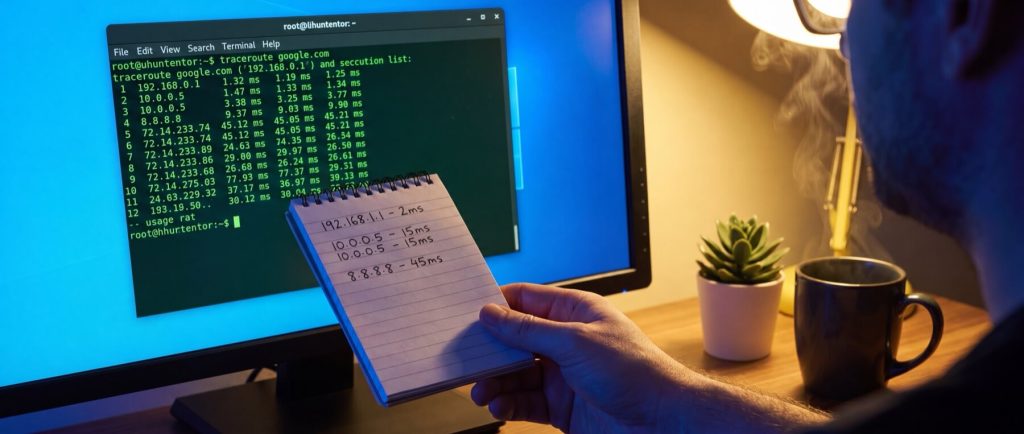 While ping measures the overall delay, traceroute reveals where the delays occur along the route. This procedure helps pinpoint the hops that introduce latency.
On Windows, run:
On Linux, run:
If traceroute is not installed on Linux, use:
The output lists each hop with latency values and router details, ending at your broker server or after reaching the maximum hop count. Look for details such as hop number, the three latency samples, and router identifiers.
A sample Windows traceroute might be:
A Linux example might look like:
Detailed traceroute results help you determine which hop may be causing delays and whether a slow response is temporary or indicative of a bottleneck.
Here, the significant jump occurs between hops 3 and 4, adding roughly 16 ms. Occasionally, a high value at one hop that is followed by lower values in subsequent hops may indicate a slow-to-respond router rather than an actual bottleneck.
What may cause a latency jump?
While ping measures the overall delay, traceroute reveals where the delays occur along the route. This procedure helps pinpoint the hops that introduce latency.
On Windows, run:
On Linux, run:
If traceroute is not installed on Linux, use:
The output lists each hop with latency values and router details, ending at your broker server or after reaching the maximum hop count. Look for details such as hop number, the three latency samples, and router identifiers.
A sample Windows traceroute might be:
A Linux example might look like:
Detailed traceroute results help you determine which hop may be causing delays and whether a slow response is temporary or indicative of a bottleneck.
Here, the significant jump occurs between hops 3 and 4, adding roughly 16 ms. Occasionally, a high value at one hop that is followed by lower values in subsequent hops may indicate a slow-to-respond router rather than an actual bottleneck.
What may cause a latency jump?
 This final step transforms the testing results into a practical decision. Compare results from multiple VPS locations to identify the node with the lowest average RTT, minimal jitter, and a clean traceroute.
Consider setting up a spreadsheet where each row represents a VPS node. For example:
This final step transforms the testing results into a practical decision. Compare results from multiple VPS locations to identify the node with the lowest average RTT, minimal jitter, and a clean traceroute.
Consider setting up a spreadsheet where each row represents a VPS node. For example:
A London VPS might be best if it offers low latency with fewer hops. Use hop count as a supplementary metric along with RTT and jitter.
For traders looking for a cost-effective and reliable solution, HostStage’s Unmanaged Linux VPS is worth considering. With plans starting at $4.95/month offering 1 CPU core, 1 GB DDR4 ECC RAM, 20 GB NVMe storage, and a 1 Gbps network port, you can choose from multiple regions such as Atlanta, Los Angeles, Amsterdam, and Frankfurt to find the optimal location that minimizes latency for your trading needs.
Trade with lower latency and higher reliability
Deploy your Windows Forex VPS close to major brokers and trading hubs. Benefit from stable connectivity, low-latency routes, and 24/7 uptime for your Expert Advisors and trading platforms.. ⚡ Instant Setup
Step 1: Prepare Your Testing Environment
Before measuring latency, ensure that you are testing the correct destination. Many traders mistakenly ping the broker’s website, which provides little insight into trade execution. Instead, use the exact trading server hostname or IP used by your MT4, MT5, or cTrader platform.
For instance, some brokers may display names such as `live-1.ig.com` or `fxtrade.oanda.com`, but the precise trading endpoint can vary by account type, platform, and region. Open your trading terminal, check the connected server name, and record it exactly. If your broker provides an IP address directly, record that too. Hostnames adjust automatically with DNS changes, while an IP bypasses one lookup step.
You will also need a machine capable of running basic network tools. A Windows PC works fine using Command Prompt or PowerShell, but using a VPS is ideal when your trading bot runs from there—latency from your home connection is irrelevant. On Linux, SSH into the VPS and make sure the ping utility is available; for later route tests, install traceroute or tracepath.
Before testing any broker server, confirm that your machine has a stable internet connection. Test with a public target first:
ping 8.8.8.8
Trader Checklist
- Identify each broker trading server to test
- Record both hostname and IP, if available
- Open Command Prompt, PowerShell, or SSH to your VPS
- Confirm ping functionality by testing against 8.8.8.8
- Run later tests from the same machine that sends orders
Step 2: Run a Basic Ping Test
The goal here is to send several test packets and capture three key results: the minimum, average, and maximum round-trip time (RTT). Lower RTT values indicate a quicker response, which is crucial for Forex trading.Windows Ping Test
Press Win + R, type `cmd`, and press Enter to open the Command Prompt. Enter the following command to send 10 ping requests:ping -n 10 broker.example.com
Reply from 203.0.113.10: bytes=32 time=18ms TTL=52
Reply from 203.0.113.10: bytes=32 time=17ms TTL=52

Ping statistics for 203.0.113.10:

Packets: Sent = 10, Received = 10, Lost = 0 (0% loss),
Approximate round trip times in milli-seconds:
Minimum = 17ms, Maximum = 22ms, Average = 19ms
Linux Ping Test
On Linux, open your terminal or SSH into your VPS, and run:ping -c 10 broker.example.com
64 bytes from 203.0.113.10: icmp_seq=1 ttl=52 time=18.4 ms
64 bytes from 203.0.113.10: icmp_seq=2 ttl=52 time=17.9 ms

--- broker.example.com ping statistics ---

10 packets transmitted, 10 received, 0% packet loss, time 9012ms
rtt min/avg/max/mdev = 17.9/19.1/22.3/1.3 ms
Step 3: Interpret Ping Results
Each of the three numbers tells you:- Minimum RTT: The optimal response time when the network is clear.
- Average RTT: The typical latency experienced during regular operation.
- Maximum RTT: Occasional spikes that may result in delayed orders during busy periods.
| Latency Tier | RTT Range | Interpretation | Best Suited For |
|---|---|---|---|
| Fast | < 5 ms | Minimal delay with consistent performance | Scalping, arbitrage, news trades |
| Acceptable | 5-20 ms | Minor delay, generally consistent | Intraday trading, swing entries, hedging |
| High | > 20 ms | Noticeable delay that may affect orders | Manual trading, longer-term positions |
Step 4: Run a Traceroute to Your Broker
While ping measures the overall delay, traceroute reveals where the delays occur along the route. This procedure helps pinpoint the hops that introduce latency.
On Windows, run:
tracert broker.example.com
traceroute broker.example.com
sudo apt update && sudo apt install traceroute -y
1 <1 ms <1 ms <1 ms 10.0.0.1
2 1 ms 1 ms 2 ms 100.64.0.1
3 3 ms 3 ms 4 ms 198.51.100.14
4 11 ms 12 ms 11 ms 203.0.113.22
5 12 ms 13 ms 12 ms broker.example.com [203.0.113.10]
1 10.0.0.1 0.482 ms 0.451 ms 0.438 ms
2 100.64.0.1 0.901 ms 0.877 ms 0.862 ms
3 198.51.100.14 3.221 ms 3.105 ms 3.189 ms
4 203.0.113.22 11.884 ms 11.992 ms 12.104 ms
5 203.0.113.10 12.331 ms 12.287 ms 12.356 ms
Step 5: Analyze Route Hops for Bottlenecks
The key insight from a traceroute is the jump in latency between consecutive hops. Consider the following sample output:1 10.0.0.1 0.4 ms 0.5 ms 0.4 ms 2 198.51.100.1 1.1 ms 1.0 ms 1.2 ms 3 203.0.113.14 2.8 ms 2.9 ms 3.0 ms 4 203.0.113.22 18.9 ms 19.1 ms 18.7 ms 5 broker.example 19.4 ms 19.6 ms 19.5 ms
- A spike early in the traceroute might suggest issues near your VPS or with your provider’s upstream bandwidth.
- A jump mid-route may be due to long-distance routing or inter-provider delays.
- A spike in the final hops could represent broker-side latency.
Step 6: Compare Tests Across Locations and Choose Your Best VPS Node
This final step transforms the testing results into a practical decision. Compare results from multiple VPS locations to identify the node with the lowest average RTT, minimal jitter, and a clean traceroute.
Consider setting up a spreadsheet where each row represents a VPS node. For example:
| VPS Node | Average RTT | Maximum RTT | Jitter | Hop Count to Broker |
|---|---|---|---|---|
| London | 3.8 ms | 5.1 ms | 1.3 ms | 5 |
| Frankfurt | 11.6 ms | 16.9 ms | 5.3 ms | 8 |
| New York | 72.4 ms | 81.2 ms | 8.8 ms | 11 |
Conclusion
Accurate and thorough latency testing is essential for ensuring your Forex trading execution is not compromised by avoidable network delays. This guide has walked you through setting up your testing environment, running ping and traceroute tests, and analyzing the data to identify network bottlenecks. For traders who require optimal speeds, selecting a VPS node with the best performance metrics—and even leveraging solutions like HostStage’s Unmanaged Linux VPS—can provide a competitive edge in the fast-paced world of Forex trading.FAQ
What is the significance of a low average RTT for Forex trading? A low average RTT means that most of your orders experience minimal delay, which is crucial for time-sensitive trading. How do ping and traceroute tests differ? Ping measures overall latency, while traceroute maps the network path to help identify which segment is causing delays. Why is consistent latency important in Forex trading? Consistent latency reduces the risk of slippage and ensures orders are executed in a timely, predictable manner, which is especially important for high-frequency strategies. What should I do if I identify a significant latency jump in my traceroute? Investigate the problematic hop; if the jump is early in the route, the issue might lie with your VPS provider. If it occurs near the end, consider contacting your broker’s support. When should I run latency tests? It is advisable to test during various market conditions—peak and off-peak times—to gain a comprehensive understanding of network performance.
Recent Posts