
Finding the right VPS for running multiple Android emulator instances without performance bottlenecks is essential. A poorly chosen VPS can cause CPU stalls, RAM exhaustion, and emulator crashes when scaling beyond just a few sessions. This guide outlines a clear framework for comparing VPS providers based on vCPU allocation, available RAM, NVMe speeds, virtualization type, and network stability.
Need a Reactive Windows VPS Desktop?
Deploy Windows VPS instances in multiple global locations to reduce latency, improve application responsiveness, and generous resources allocations.
⚡ Global Locations
Decision Framework: Matching Your Multi-Account Workload to a VPS Tier
Begin by determining the number of emulator instances you need running concurrently rather than by plan name. For Android emulators, the primary bottlenecks are CPU and RAM, while GPU acceleration only matters for apps with heavy graphics or video rendering. Sizing your server for peak loads rather than average usage helps avoid performance issues when multiple accounts are active.
Here’s a practical shortcut:
- Light social or automation apps (e.g., Telegram, WhatsApp) can typically share a core among 2–3 instances.
- Video-heavy apps (e.g., TikTok, Instagram Reels) generally require closer to a 1:1 core-to-instance ratio.
A safe planning assumption is:
| Workload type | Typical load | Safe planning ratio |
|---|---|---|
| Light automation / chat apps | Low UI activity | 1 core per 2–3 emulators |
| Social media posting / scrolling | Moderate UI activity | 1 core per 1–2 emulators |
| Short-form video apps / live previews | High render load | 1 core per emulator |
| Mobile game or GPU-heavy app | Very high render load | CPU-only usually not ideal |
The key point is that apps with continuous video or heavy graphics should be planned closer to one emulator per core.
Quick Mapping by Scenario
| Your workload | Recommended starting tier | GPU needed? |
|---|---|---|
| 3–5 light social bots | 4 vCPU, 8 GB RAM, NVMe | No |
| 5–8 mixed social accounts | 6 vCPU, 12–16 GB RAM, NVMe | Usually no |
| 8–12 test devices for QA or botting | 8 vCPU, 16–24 GB RAM, NVMe | Only for graphics-heavy apps |
| 12–20 TikTok/short-video instances | 12–16 vCPU, 24–32 GB RAM, NVMe | Often helpful |
| 20+ heavy instances | 16+ vCPU, 32+ GB RAM | Strongly consider GPU-backed setup |
Every increase in instance count demands more than just extra RAM. Insufficient CPU scheduling may cause all emulators to slow down, even when memory seems adequate.
Key Selection Criteria for Android Emulator VPS
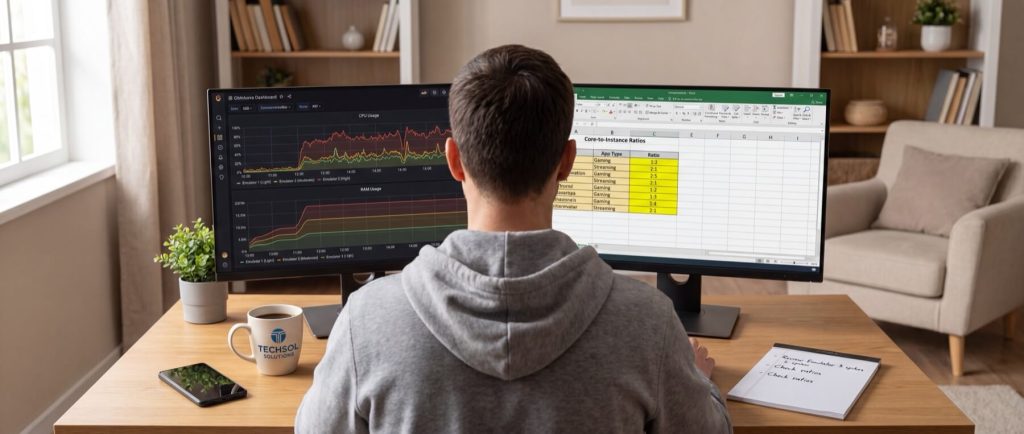
When selecting a VPS, focus on these five critical performance criteria:
- CPU Speed: Modern CPUs with sustained speeds of 3.4 GHz or above improve app launch times and UI responsiveness.
- vCPU/Core Allocation: Dedicated or lightly contended vCPUs (ideally 1 core for every 1–2 active instances) help prevent lag.
- RAM Headroom: Each emulator typically requires 2–3 GB for light apps and 3–4 GB for more demanding ones, plus extra for the OS.
- GPU Acceleration: Helpful for managing 8+ graphics-heavy instances by offloading rendering tasks from the CPU.
- Storage / I/O: NVMe SSDs are critical for rapid read/write operations, which reduce emulator boot and load times.
For example, if you plan on running several Android emulators concurrently, consider HostStage’s Unmanaged Linux VPS Level 6. Priced at $79.95/mo in regions including USA, Europe, Africa, and Asia, it offers 16 vCPU, 16 GB DDR4 ECC RAM, and 200 GB NVMe storage – an option that can meet the demands of performance-intensive setups.
CPU: Frequency Matters More Than Expected
Android emulators are not fully parallel. Although they utilize multiple cores, each instance periodically depends on single-thread performance for rapid app startups and UI transitions. Providers offering recent SSD-backed nodes and newer CPUs (3.5–4.5 GHz) tend to deliver more consistent performance compared to those with a high number of lower-speed vCPUs.
RAM: Plan for Both Instance and Host
RAM calculations are critical. An emulator launched with 2 GB may need additional memory for the host OS, background services, and caching. For Windows-based emulator servers, allocating 3–5 GB for the OS is a common rule of thumb. A VPS with 16 GB of RAM might only yield 11–13 GB usable by the emulators.
A simple formula to plan for your setup is:
Total RAM needed = (RAM per emulator × number of instances) + OS overhead + 15–20% safety margin
This extra margin ensures stability when multiple apps update simultaneously.
GPU: Useful but Workload-Dependent
GPU pass-through is beneficial when your apps require consistent hardware rendering, such as in video previews or highly animated feeds. For setups relying on messaging or light automation, investing in faster CPU cores and additional RAM may yield better overall performance.
Security and Isolation Best Practices for Emulator Servers
Running multiple emulator accounts on a single Windows VPS introduces the risk of cross-account data exposure. To secure your system, follow these guidelines:
- Lock Down Remote Access: Enable Windows Defender with real-time protection and restrict Remote Desktop (TCP 3389) access to trusted IP addresses. See our guide on running Android on a Windows VPS for setup details.
- Implement Isolation: Avoid running all emulators under the same administrator account. Create separate user profiles so that session data and files remain isolated. Advanced users can further isolate accounts with distinct virtual disks or controlled folder permissions.
- Regular Updates and Snapshots: Schedule weekly full snapshots and take pre-update snapshots to ensure quick recovery in case of failure.
For additional tips on optimizing Windows VPS performance, you may want to review our insights on the top 5 reasons to upgrade your Windows VPS. For specialized security needs, see our article on dedicated Windows Server Hosting.
Price-Performance Benchmarks: Cost per Emulator Instance

When comparing VPS plans, assess the cost relative to the number of stable emulator instances a plan supports. A lower-priced VPS that supports fewer instances may not be more economical than a higher-priced option with better performance and higher instance density.
The key metric is the cost per instance-hour:
Cost per instance-hour = monthly price ÷ (instances supported × 730 hours)
Using 730 hours as a baseline ensures a fair comparison for continuous 24/7 operations.
> Note: The pricing figures below are examples. Always verify current pricing before making a decision.
| Plan tier | Example monthly cost* | Typical supported instances | Cost per instance-hour | Notes |
|---|---|---|---|---|
| 4 vCPU / 8 GB VPS | $24/mo | 3 | $0.0110 | Suitable for light-to-moderate social app sessions |
| 4 vCPU / 8 GB VPS | $24/mo | 4 | $0.0082 | Best-case for light-load operations |
| 8 vCPU / 16 GB VPS | $48/mo | 6 | $0.0110 | Good headroom; value depends on workload density |
| 8 vCPU / 16 GB VPS | $48/mo | 8 | $0.0082 | Attractive if CPU scheduling and storage work well |
| 8 vCPU / 16 GB GPU-backed VM | $89/mo | 8 | $0.0152 | Higher cost but benefits render-heavy apps |
| 8 vCPU / 16 GB GPU-backed VM | $89/mo | 10 | $0.0122 | Improved value with increased usable instance count |
Billing Models: Monthly vs. Hourly
The billing model can significantly affect cost efficiency:
| Usage pattern | Best pricing model | Reason |
|---|---|---|
| 24/7 always-on automation | Monthly | Predictable costs with lower overhead |
| Burst campaigns or rotating batch deployments | Hourly | Pay only for active compute hours |
| Scaling during peak demand | Hourly with scalable tiers | Avoid costs for idle capacity |
Case Study: Powering 20 TikTok Bot Accounts on a Single VPS
In one scenario, an operator managed 20 concurrent TikTok sessions on a Windows VPS by selecting a plan with 16 vCPU, 32 GB RAM, and NVMe storage. The VPS was located within 25–35 ms of the proxy exit region, emphasizing that appropriate CPU headroom is crucial for smooth scrolling and video playback. The deployment involved installing Windows Server, deploying the emulator package, using a multi-instance manager to clone a base image, and assigning accounts in phased batches. Staggering emulator startups by 20–30 seconds further helped prevent boot storms.
Peak Usage Metrics
| Metric | Observed value |
|---|---|
| VPS specification | 16 vCPU / 32 GB RAM / NVMe |
| Active TikTok instances | 20 |
| Average CPU usage | 72–84% sustained |
| CPU spikes during feed refresh | 92–96% |
| Total RAM used | 26.8–28.9 GB |
| RAM per emulator | ~1.2–1.4 GB active |
| Storage usage | ~95 GB (including images) |
| Average latency to proxy region | 28 ms |
| Average latency to app endpoints | 34–47 ms |
CPU vs GPU Trade-Offs for Multi-Instance Emulators
The main takeaway is that CPU-only VPS plans generally offer better value for most emulator fleets until graphics rendering becomes a bottleneck. If your emulators primarily log in, post, or sync data, investing in faster CPU cores and sufficient RAM is advisable. However, if continuous scrolling, video playback, or multi-window activity is common, GPU acceleration may help by offloading some of the graphics processing. Although GPU-backed plans typically cost 2-4 times more than CPU-only solutions, the trade-off might be justified for graphics-intensive applications.
Security and Isolation Recap
To minimize security risks when managing multiple emulator instances on a single server, always:
- Enable strong RDP restrictions and Windows Defender with real-time, cloud-delivered protection.
- Use separate user profiles for distinct emulator groups to avoid cross-account data leaks.
- Regularly update your system and use snapshots or backups to facilitate rapid recovery.
Frequently Asked Questions
What is the most important factor when choosing a VPS for Android emulators?
Balancing vCPU allocation, RAM headroom, and fast storage is key rather than focusing solely on the vCPU count.
How does CPU speed affect Android emulator performance?
Higher single-core speeds significantly improve app launch times, UI transitions, and overall responsiveness.
When is GPU acceleration necessary for Android emulators?
GPU acceleration is beneficial for graphics-intensive applications or video-heavy feeds where offloading rendering tasks can enhance performance.
What are the best security practices for operating multiple emulator instances on a VPS?
Use strict RDP restrictions, separate Windows user profiles, and schedule regular system snapshots to safeguard data and ensure quick recovery.
How do different billing models affect the cost per instance-hour?
Monthly plans offer predictable costs for constant operations, while hourly billing is ideal for burst campaigns where you pay only for active compute time.
By carefully benchmarking workloads and evaluating both resource allocation and security best practices, you can optimize your VPS setup for running multiple Android emulator instances smoothly. Test your configuration under real-world conditions and plan for an additional 20–30% headroom to accommodate unexpected load spikes.