
Windows Server 2025 Standard and Datacenter use the same core-based licensing foundation, but they grant different virtualization rights and include different feature sets. Standard usually suits physical or lightly virtualized servers. Datacenter is designed for highly virtualized hosts and software-defined datacenter deployments.
The edition name alone does not determine the correct purchase. Count the cores or virtual cores that must be licensed, model the maximum number of Windows Server workloads that can run at once, identify any Datacenter-only features, and confirm the applicable Microsoft agreement. This guide is a planning aid, not legal advice; your agreement and the current Microsoft Product Terms control.
Make the Edition Decision From the Workload
Start with four questions:
- License scope: Will you license the physical host or eligible individual virtual machines?
- Peak density: What is the largest number of Windows Server operating system environments (OSEs) that may run on the host at one time?
- Feature requirements: Does the design depend on a capability that Microsoft reserves for Datacenter?
- Access requirements: Which users, devices, and Remote Desktop users require separate CALs?
A low current VM count does not automatically settle the question. Plan for failover capacity, maintenance windows, and expected growth, because Standard rights are added in complete license assignments rather than one VM at a time when licensing by physical cores.
Count What You Must License
When licensing by physical cores, both editions require licenses for every physical core on the server, subject to a minimum of eight core licenses per physical processor and sixteen per server. Microsoft sells core licenses in 2-packs and offers 16-packs for convenience. A server with one 12-core processor therefore still needs sixteen core licenses; a two-processor server with 12 cores per processor needs twenty-four.
Microsoft also permits eligible customers with subscription licenses or licenses with active Software Assurance to license by virtual machine. In that model, each VM needs licenses for its assigned virtual cores, subject to a minimum of eight core licenses per VM and sixteen core licenses per customer. The physical and per-VM approaches have different mobility and host-use rights, so they should not be mixed casually. Microsoft’s current Windows Server 2025 licensing guidance explains both paths.
Understand Standard Virtualization Rights
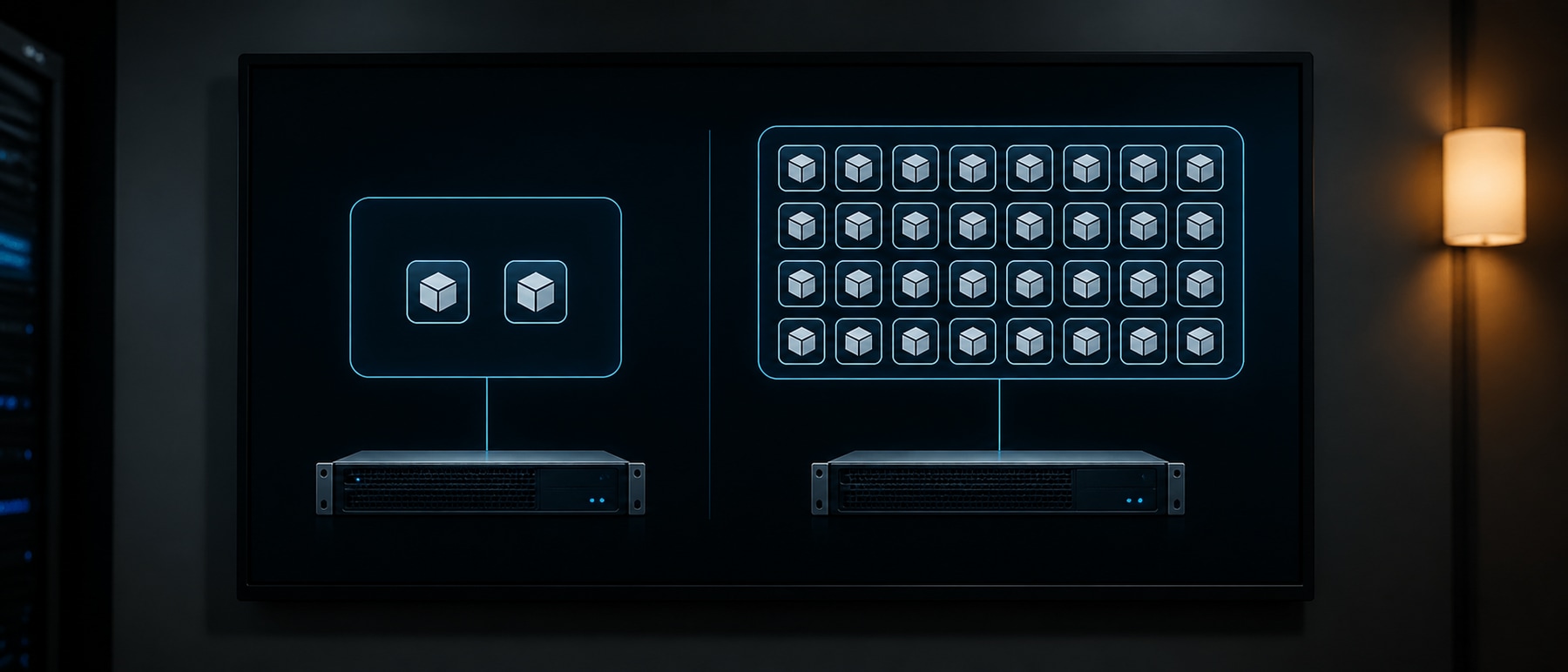
With physical-core licensing, one complete Standard assignment grants rights to run Windows Server in two OSEs on the licensed server. It also permits one running instance in the physical OSE when that physical instance is used only to host and manage the virtual OSEs. If that physical instance also runs application workloads, the additional physical-OSE allowance does not apply; confirm how the two licensed OSE rights are being used.
To run more Windows Server VMs on that host, assign another complete set of core licenses for every additional two OSEs. The required license count is based on the server’s physical cores each time; it is not a two-core add-on for two more VMs.
Understand Datacenter Virtualization Rights
Once every required physical core is licensed with Datacenter, the licensed server may run Windows Server in any number of OSEs. That right is valuable on dense virtualization hosts, but it does not license unrelated products such as SQL Server, Microsoft 365, or Remote Desktop Services access.
Windows Server 2025 guidance also distinguishes container rights. Standard provides two Windows Server containers with Hyper-V isolation per complete physical-core assignment and unlimited Windows Server containers without Hyper-V isolation. Datacenter provides unlimited Windows Server containers with or without Hyper-V isolation on the fully licensed server.
Compare the Editions Beyond VM Count
Virtualization density is only one decision factor. Microsoft’s current Windows Server edition comparison should be checked against the exact release and deployment design before purchase.
| Decision area | Standard | Datacenter |
|---|---|---|
| Physical-core OSE rights | Two OSEs per complete assignment | Any number of OSEs on the fully licensed server |
| Storage Spaces Direct | Not included | Included |
| Software-defined datacenter capabilities | More limited | Broader feature set |
| Typical fit | Physical or lightly virtualized workloads | Highly virtualized hosts and software-defined infrastructure |
Do not reduce the choice to a copied feature checklist. Features can have prerequisites, edition-specific limits, hardware requirements, and Software Assurance conditions. Validate the complete design in Microsoft Learn and Product Terms.
Separate Workload Mobility From Edition
Datacenter’s unlimited OSE right does not mean that a Datacenter license follows a VM freely between unlicensed hosts. Under physical-core licensing, each host that may run the workload needs its own sufficient license assignment, and licenses assigned on that basis cannot simply move with short-term workload migrations.
Eligible subscription or active Software Assurance customers can license by virtual machine, which allows the assigned licenses to move with a workload between servers in the same server farm under Microsoft’s conditions. Review Microsoft’s Windows Server virtualization licensing guidance before designing live migration, failover, or outsourced hosting around this benefit.
Budget for CALs Separately
Standard and Datacenter use the Per Core/CAL model. Core licenses authorize the server software; they do not replace the base Windows Server User or Device CALs required for access, except where Microsoft’s terms provide a specific alternative or exception. Microsoft classifies Remote Desktop Services access as additive, so it generally requires an RDS CAL in addition to the base Windows Server CAL for each qualifying user or device. Review Microsoft’s current Base and Additive CAL guidance and RDS CAL documentation against the planned access pattern.
Choose User CALs when the same people use several devices and Device CALs when many people share a smaller set of devices. External users, service-provider environments, and multiplexed access require careful review rather than a generic headcount calculation.
Calculate Break-Even With Current Quotes
Microsoft’s public Windows Server pricing page currently presents suggested MSRP for a 16-core license: $1,176 for Standard and $6,771 for Datacenter. Those figures are reference prices, not a universal quote. Reseller, program, region, tax, currency, Software Assurance, and hosting terms can change the actual cost, so verify the current Microsoft pricing page and obtain a reseller quote before approval.
For a 16-core physical host, the basic Standard stacking calculation is:
| Maximum Windows Server OSEs | Complete Standard assignments | Reference Standard MSRP | Reference Datacenter MSRP |
|---|---|---|---|
| 2 | 1 | $1,176 | $6,771 |
| 4 | 2 | $2,352 | $6,771 |
| 6 | 3 | $3,528 | $6,771 |
| 8 | 4 | $4,704 | $6,771 |
| 10 | 5 | $5,880 | $6,771 |
| 12 | 6 | $7,056 | $6,771 |
This narrow example suggests a reference-price crossover between ten and twelve OSEs, but it is not a purchasing rule. More cores raise both totals; discounts, CALs, Software Assurance, support, cluster capacity, and feature requirements can move the practical decision. Use the highest simultaneous VM count that each host may carry during maintenance or failure, not the normal daily average.

Choose Standard for Small, Stable Deployments
Standard is usually the clearer starting point for a physical server or a host with one or two Windows Server VMs and no Datacenter-only feature. It can remain economical for additional VMs when complete assignments are stacked, provided the forecast, failover design, and administration overhead still support that choice.
Document the host’s processor and core count, the maximum OSE count, the physical OSE’s role, and every license assignment. That record is more useful than relying on the edition name or a screenshot from a reseller configurator.
Choose Datacenter for Density or Required Features
Datacenter becomes attractive when a host must carry a large or fast-changing Windows Server VM estate, when recovery capacity could push Standard into many stacked assignments, or when the architecture requires Datacenter capabilities such as Storage Spaces Direct. Its operational benefit is predictable Windows Server OSE capacity on each fully licensed host.
For a cluster, calculate each node’s worst-case load. If one node can absorb workloads from another during maintenance or failure, license that potential state rather than assuming the VMs will remain evenly distributed.
Validate Hosted Windows Terms Separately
Buying a hosted Windows VPS is not the same transaction as assigning retail or volume core licenses to hardware you own. The provider may license the underlying infrastructure under service-provider terms and bundle Windows activation into the service. Confirm the included edition, permitted use, administrator access, support boundary, and any add-on charge with the provider.
HostStage’s current Windows VPS page lists a Windows license and full administrator access among its VPS features. Review the current Windows VPS page and order terms for the selected plan rather than applying the 16-core MSRP example to a hosted VPS.

Frequently Asked Questions
What is the main difference between Windows Server Standard and Datacenter?
When licensing a physical server’s cores, Standard grants two OSEs per complete assignment, while Datacenter grants any number of OSEs on the fully licensed server. Datacenter also includes capabilities that Standard does not.
Is the minimum always sixteen core licenses?
For physical-core licensing, Microsoft applies both a minimum of eight core licenses per physical processor and sixteen per server. Eligible per-VM licensing instead uses the VM’s virtual cores, with a minimum of eight core licenses per VM and sixteen per customer.
Does Datacenter let licenses move freely with a VM?
No. Edition and license mobility are separate questions. Physical-core assignments do not automatically follow short-term VM movement. Eligible subscription or active Software Assurance customers can use Microsoft’s per-VM licensing option under its stated conditions.
Are CALs included in a core license?
Core licenses and access licenses serve different purposes. Standard and Datacenter generally require appropriate Windows Server CALs, and Remote Desktop Services can require additional RDS CALs.
At how many VMs is Datacenter cheaper?
There is no permanent universal threshold. Calculate it from the server’s core count, current quotes, maximum simultaneous OSE count, agreement type, Software Assurance, CALs, and required features.