
Automate Your Stream: Go Live 24/7 While You Sleep
Running a 24/7 live stream might sound overwhelming, but it’s easier than you think with automation. This guide explains how to set up a continuous stream that runs without constant supervision, saving time and reducing costs. Here’s what you’ll learn:
- Why 24/7 streaming matters: Keep your audience engaged, attract new viewers, and build loyalty by staying live around the clock.
- Automation tools: Use software like OBS Studio or FFmpeg for seamless streaming, and VPS hosting for reliability.
- Technical setup: Learn the basics of encoders, RTMP relays, and uptime monitoring to ensure smooth operation.
- Legal compliance: Avoid copyright issues and follow platform rules to protect your stream.
- Cost efficiency: Save on energy bills and hardware wear by using server-based setups.
Why Run a 24/7 Stream
Keep Your Audience Connected
Running a stream that’s always live ensures your audience can tune in whenever it suits them – not just when you’re available. This is especially important if your listeners are spread across different time zones.
In today’s world, people expect content instantly. If they can’t find it, they’ll look elsewhere. A 24/7 stream eliminates that obstacle, making your channel a reliable go-to option. Over time, this consistency helps your stream become part of your audience’s daily habits – whether it’s their soundtrack for a morning commute, background noise at work, or a way to relax at night. If your stream goes offline for hours at a time, you lose that opportunity for connection.
Beyond building loyalty, continuous streaming also provides valuable insights into listener behavior. This data can help you fine-tune your programming to better meet your audience’s preferences.
There’s also the added bonus of discoverability. Streaming platforms often highlight active streams in their recommendations or search results. The more hours you’re live, the greater your chances of being discovered by new listeners. More visibility naturally leads to more growth.
These advantages make it clear why certain formats thrive with 24/7 automation.
Best Uses for Continuous Streaming
Online radio stations are a perfect fit for 24/7 streaming. Whether you’re offering music, talk shows, or a mix, listeners expect radio to be available whenever they want it. The traditional radio model has always been non-stop, and online audiences share those same expectations.
IPTV services also benefit from continuous streaming. When delivering television content over the internet, viewers want on-demand access. A 24/7 stream lets you rotate programming, replay popular shows, and create a channel-like experience that feels familiar to traditional TV viewers.
If you’ve built a content library – like videos, podcasts, or recorded performances – you can use continuous streaming to showcase it. This is especially effective for niche content, such as educational videos, archived concerts, classic movies, or specialized programming. While these might not attract massive live audiences, they often resonate deeply with dedicated communities.
Event coverage is another area where 24/7 streaming shines. For multi-day conferences, festivals, or tournaments, you can maintain audience engagement by streaming recaps, interviews, or behind-the-scenes footage between main events.
The key is determining if your content works well on a loop or schedule. Automation isn’t ideal for streams that rely heavily on real-time interaction or spontaneous moments. However, if your focus is on delivering curated music, scheduled shows, or rotating content, a 24/7 stream transforms your channel into a dependable destination rather than an occasional broadcast.
A simple setup now can lead to long-term benefits for your operation.
Technical Setup Basics
Local Machine vs. Server Streaming
Starting your 24/7 stream from your home computer might seem like the easiest option. After all, it’s already there, familiar, and doesn’t come with additional monthly costs. But the downsides of this approach become clear pretty quickly.
Home internet connections are not built for continuous broadcasting. Most residential ISPs offer asymmetric bandwidth, meaning you get fast download speeds but much slower upload speeds. To maintain a decent-quality stream, you need a consistent upload speed of at least 3–5 Mbps. Any hiccup in your home network could knock your stream offline.
There’s also the strain on your hardware to consider. Running encoding software around the clock puts a heavy load on your CPU and GPU, leading to higher energy bills and potential wear on your system.
Switching to VPS streaming solves many of these issues. A VPS operates out of a data center, offering enterprise-level internet connections, redundant power, and uptime guarantees – often 99.9%, which translates to less than 45 minutes of downtime per month. Even if your home loses power or your computer crashes, your stream stays live.
VPS hosting also gives you control over server location. For example, if your audience is primarily on the East Coast, you could choose a server in Atlanta to reduce latency. If you have an international audience, you might opt for a server in Europe. This flexibility ensures better stream quality for your viewers, no matter where they’re located.
And the cost? A streaming-optimized VPS typically starts at $10–$20 per month – comparable to what you’d spend on electricity for a home setup. For anyone serious about uninterrupted streaming, the reliability and performance make it a smart investment.
Next, let’s look at how encoders and RTMP relays work together to deliver your stream.
How Encoders and RTMP Relays Work
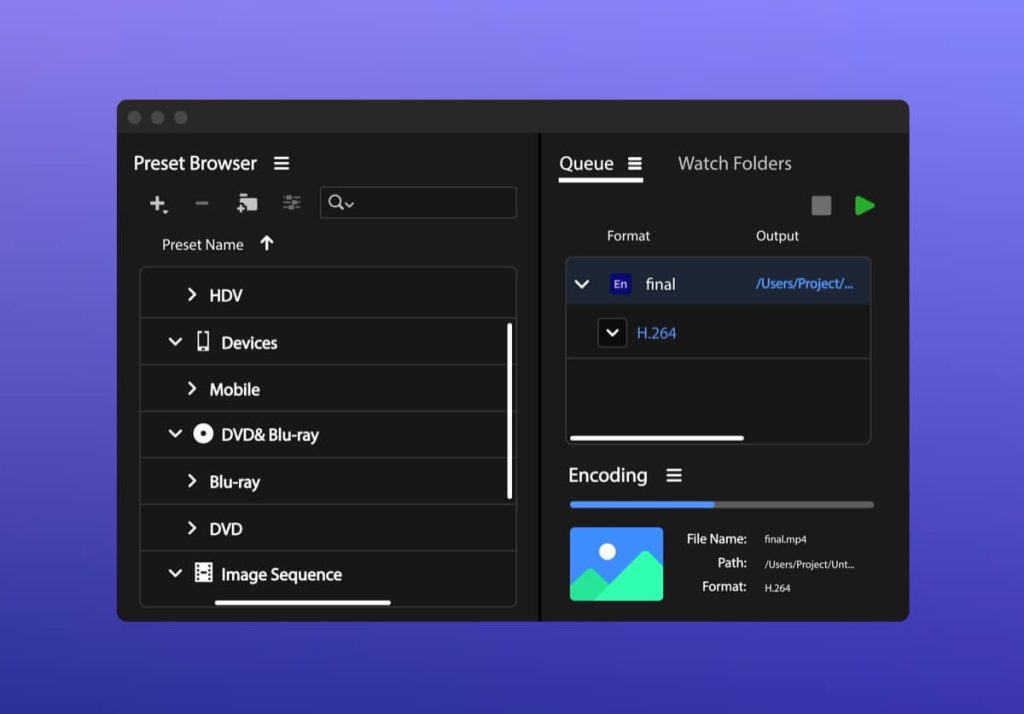
Encoders are the backbone of any streaming setup. They take your media – whether it’s music, videos, or live input – and convert it into a format suitable for streaming. This involves compressing the data, applying audio and video codecs, and packaging it into a stream ready for your broadcasting platform.
Popular encoding tools like OBS Studio and FFmpeg handle these tasks efficiently:
- OBS Studio: This versatile software can loop through video playlists, display static images with audio, or pull from multiple sources at once. On a VPS, OBS is often run in headless mode – no graphical interface – controlled through scripts or configuration files for automation.
- FFmpeg: If you’re comfortable with command-line tools, FFmpeg offers a lightweight and flexible alternative. It’s perfect for real-time transcoding or managing multiple stream outputs from a single source. While it has a steeper learning curve, its versatility is unmatched.
Once your encoder creates the stream, it needs a way to reach your audience. That’s where RTMP (Real-Time Messaging Protocol) comes in. RTMP is the standard protocol for delivering live video to platforms like YouTube, Twitch, and Facebook. Your encoder sends the stream to an RTMP server, which then relays it to your selected platform.
For more advanced setups, you might use an RTMP relay as an intermediary. This is especially useful if you’re streaming to multiple platforms or want to add a buffer between your encoder and the public stream. Nginx with the RTMP module is a popular choice for building your own relay server. It’s open-source, stable, and handles multiple streams with ease.
The relay acts as a middleman, receiving your encoded stream and distributing it to multiple platforms. This setup not only protects your encoder from direct internet exposure but also ensures that if one platform experiences issues, the relay can continue sending to others without disrupting your stream.
Understanding this workflow – from media files to encoder, to RTMP relay, to platform – makes troubleshooting much easier. If your stream drops, you can systematically check each step to pinpoint the issue.
With your encoding and relay system in place, the next step is ensuring your stream stays up and running without interruptions.
Why You Need Uptime Monitoring
Once your streaming setup is live, maintaining uptime becomes a top priority. Even the most robust systems can encounter issues: a platform might temporarily reject your stream, your VPS could run out of disk space, or a software glitch might crash your encoder. Without proper monitoring, you might not notice these problems until viewers start complaining – or worse, until you’ve lost valuable audience engagement.
Uptime monitoring tools are designed to catch these issues early. They regularly check your stream’s status – usually every one to five minutes – and alert you immediately if something goes wrong. Notifications can be sent via email, SMS, or push alerts, so you’re always in the loop.
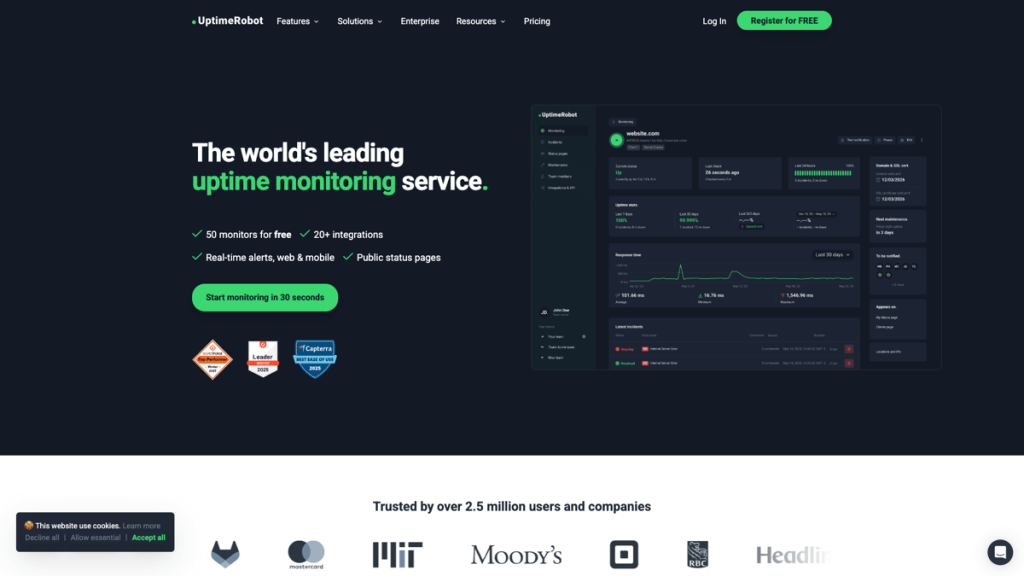
- UptimeRobot: A straightforward option, offering free monitoring for up to 50 endpoints. It checks your stream URL every five minutes and notifies you if it goes offline. The paid version reduces the check interval to one minute and adds extra features like status pages and advanced alerts.
- Cronitor: This tool focuses on monitoring scheduled tasks and background jobs. If you use cron jobs to restart your encoder or rotate playlists, Cronitor ensures those tasks are running on time. It’s a great way to catch issues before they affect your live stream.
Beyond basic uptime checks, monitoring your VPS’s resource usage is crucial. Most hosting providers include tools to track CPU, RAM, and disk usage. Set alerts for spikes in resource consumption to address problems before they disrupt your stream.
Log files are another essential part of monitoring. Your encoder should generate detailed logs that capture errors, warnings, and system updates. These logs are invaluable for diagnosing issues when things go wrong. Just make sure to rotate your logs regularly to avoid filling up your disk, but keep at least a week’s worth of data for troubleshooting.
The goal isn’t to eliminate every possible problem – that’s unrealistic. Instead, the focus is on detecting and resolving issues quickly. A brief five-minute outage at 3:00 AM might go unnoticed if your system restarts automatically. But a six-hour outage during peak hours? That’s a disaster. Monitoring ensures you’re prepared to act before small problems turn into big ones.
Software and Hosting You’ll Need
Streaming and Automation Software
To launch a 24/7 stream, you’ll need the right combination of encoding and automation tools. These tools ensure your stream runs smoothly around the clock without requiring constant manual input. Fortunately, there are cost-effective, open-source options that can deliver professional results when configured correctly.
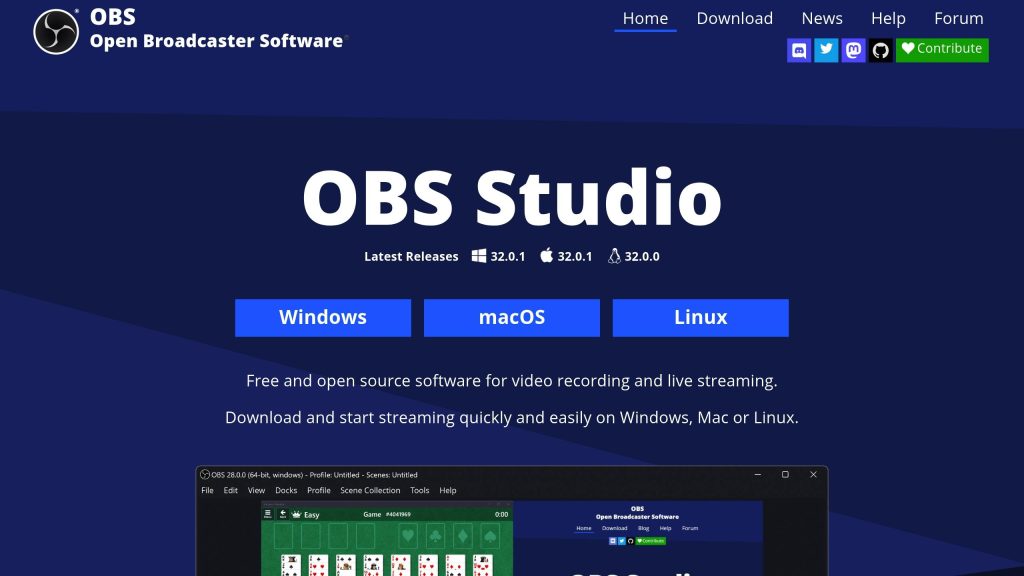
OBS Studio is a popular choice. It’s free, open-source, and compatible with Windows, macOS, and Linux. With OBS, you can automate tasks using configuration files and scripts, making it possible to schedule scene transitions and manage playlists. Broadcasters often pair OBS with VLC Media Player as a source, and use plugins like Advanced Scene Switcher or tools such as OBSCommand combined with OBSWebsocket for enhanced automation. Task schedulers can further streamline scene transitions.
Another powerful option is FFmpeg, a command-line tool known for its efficiency. It handles real-time transcoding, loops media files, and can push streams to multiple RTMP endpoints at once. Its lightweight design makes it ideal for VPS environments where resources are limited.
For those needing more advanced scheduling, dedicated playlist management software can fill the gap. Tools like Lightcast’s 24/7 Scheduler & Playout offer drag-and-drop interfaces for turning on-demand videos into continuous live streams. Similarly, LiveReacting provides cloud-based automation for uploading pre-recorded videos, music, and interactive content.
The right software for your stream largely depends on your budget and technical expertise. Many small broadcasters start with OBS or FFmpeg and later upgrade to more specialized scheduling tools as their needs grow.
Choosing the Right VPS for Streaming
After setting up your streaming software, the next step is selecting a VPS capable of handling continuous broadcasting. Three key factors to consider are upload bandwidth, CPU performance, and uptime reliability.
Upload bandwidth is critical because it dictates how much data you can send to your streaming endpoint. For example, a 1080p stream at a 6 Mbps bitrate typically requires a sustained upload speed of 8–10 Mbps to handle overhead and bitrate fluctuations. Many VPS providers offer network ports ranging from 1 Gbps to 10 Gbps, but always check for any traffic caps that might limit your stream.
CPU performance is equally important since real-time encoding demands significant processing power. A dual-core VPS might handle a single 720p stream, but a 1080p stream – or multiple streams – usually requires at least four cores on modern processors like Intel Xeon or AMD EPYC.
Server location also matters. If your audience is primarily in the United States, choosing a VPS in cities like Atlanta or Los Angeles can minimize latency by reducing the distance your data needs to travel. Features like DDoS protection and instant provisioning are also worth considering to ensure a stable and secure streaming experience.
Once your VPS is up and running, the next step is to fine-tune your playlist management for a seamless broadcast.
Managing Playlists and Schedules
Advanced scheduling tools make it easy to organize your video assets, set specific playback times, and automate transitions. These platforms let you plan your programming days or even weeks ahead, keeping your stream running smoothly without constant manual oversight. This approach ensures your broadcast maintains a consistent live presence while freeing you from being tied to the controls 24/7.
Keeping Your Stream Running
Log Files and Troubleshooting
When running a 24/7 broadcast, log files are your go-to resource for diagnosing issues. These files capture errors, warnings, and status messages from your streaming software, encoder, and server, giving you a clear picture of what’s happening behind the scenes. Reviewing them regularly, alongside uptime monitoring, ensures you can quickly address any unexpected interruptions.
Log files are particularly useful for pinpointing problems like encoding failures, dropped frames, or connectivity hiccups. For example, if you’re using OBS Studio, its log files can reveal errors or warnings that might be affecting your stream’s performance.
If you’re working with FFmpeg, you can redirect its output to a log file using this command:
ffmpeg -re -i input.mp4 -c copy -f flv rtmp://your-endpoint/key 2>&1 | tee stream.log
This setup saves all output to a file called stream.log while displaying it in real time. By analyzing this log, you can spot patterns in issues like bitrate changes, audio sync problems, or connection timeouts.
Server-level logs, such as those from an Nginx RTMP setup, are another crucial tool. They can provide insights into client disconnections or configuration errors. To keep these logs manageable, use tools like logrotate to control file sizes and ensure you’re always prepared to address potential problems. Regular log management is key to maintaining a smooth and stable streaming experience.
Legal and Platform Rules
Stay Clear of Copyright Issues
When running a 24/7 stream, every piece of content you broadcast – whether it’s music, videos, images, or text – must be properly licensed or royalty-free. Using content without authorization can result in serious legal and financial consequences.
It’s important to note that simply purchasing or subscribing to media doesn’t grant you the right to stream it publicly. These transactions usually allow for personal use only, not public performance. To stay on the right side of the law, you need explicit streaming rights from the copyright holders.
Streaming platforms like YouTube and Twitch have automated systems that actively monitor for copyrighted material. If such content is detected, your stream could be removed, revenue redirected to the copyright owner, or strikes issued against your account. In some cases, copyright holders may file a DMCA takedown notice. On Twitch, accumulating three strikes can result in permanent account suspension. Beyond platform penalties, copyright violations can lead to fines, lawsuits, and damage to your reputation.
Fair use rarely applies to continuous 24/7 streams. Even public domain works can be tricky – while the original compositions may be free to use, specific recordings or adaptations are often still protected by copyright.
To avoid these pitfalls, stick to content you’ve created, obtain proper licenses for broadcasting, or use royalty-free music libraries tailored for streaming. Many streaming tools even have built-in features to detect and block potentially infringing content automatically. If you manage your own content library, consider adding metadata to track licenses and usage periods, ensuring everything you stream is cleared for use.
Staying compliant with copyright laws is essential to keeping your stream running smoothly.
Know Your Platform’s Terms
Understanding copyright laws is just one piece of the puzzle. Equally important is following the specific rules of the platform you’re streaming on. Platforms like YouTube and Twitch have strict guidelines for live and archived content, and they actively scan for violations.
Each platform has its own policies regarding continuous streams, especially when it comes to pre-recorded or non-transformative content. These rules can impact both compliance and monetization. Service interruptions due to copyright issues often happen without warning, so if your stream is flagged, it could be cut off immediately – even during a scheduled event. Regularly reviewing your content and having a backup plan in place can help you avoid sudden disruptions.
If you’re streaming globally, you’ll also need to navigate varying copyright laws and broadcasting regulations. A license that works in the United States, for example, might not cover viewers in other countries.
Before starting a 24/7 stream, take the time to thoroughly review your platform’s terms of service, focusing on sections related to copyright, community guidelines, and content policies. Since these rules can change over time, it’s a good idea to revisit them every few months to ensure you’re still in compliance and safeguarding your channel.
Conclusion
What You’ve Learned
Running a 24/7 stream doesn’t mean you need to be glued to your screen. With the right automation tools and infrastructure, you can keep your radio station, event channel, or content loop running smoothly while focusing on other parts of your operation.
As we’ve covered, using automation and server-based streaming ensures your content stays live without constant manual effort. VPS streaming stands out for its reliability and uptime compared to local setups. Tools like auto-reconnect scripts and uptime monitors help keep everything running seamlessly, while playlist management software keeps your content organized and on schedule.
Copyright compliance and platform rules are non-negotiable. Ensuring your content is licensed and adhering to platform terms protects your stream from takedowns, strikes, or legal trouble. After all, the automation you’ve built is only effective if your channel remains active.
For broadcasters and small online radio stations, this setup is a game changer. Instead of juggling schedules or worrying about downtime, you can provide consistent, uninterrupted content for your audience. Listeners will know they can tune in anytime and find you live.
The next step? Choosing a VPS that can handle it all.