
The 10 Best Self-Hosted LMS Platforms in 2026 (Open Source & Free)
Looking for the best self hosted LMS to run on your own server? Whether you’re building a self hosted online course platform, managing corporate training, or running a school, a self hosted learning management system gives you full control over your data, unlimited customization, and predictable costs.
We tested and compared the top open source LMS platforms you can self-host today. This guide covers everything from lightweight self hosted course platforms to enterprise-grade systems handling thousands of learners — all deployable on a standard web hosting account or VPS.
What Is a Self-Hosted LMS?
A Learning Management System (LMS) is software that handles every aspect of online learning: creating courses, delivering content, tracking student progress, managing assessments, and generating reports.
A self hosted LMS means you install and run the software on your own server or hosting account. You own the files, the database, and all learner data. This stands in contrast to SaaS (Software as a Service) platforms where a third-party vendor hosts everything and you access it through a subscription. Whether you call it a self hosted learning platform, a self hosted training platform, or simply an LMS self hosted on your infrastructure — the principle is the same: you control everything.
The self-hosted approach is growing fast. The global e-learning market is projected to grow from $295 billion in 2025 to over $460 billion by 2031, at a compound annual growth rate exceeding 10%. Around 90% of companies worldwide now use some form of LMS for training and development, and self-hosted solutions represent a significant and growing share of that adoption.
Why Choose a Self-Hosted LMS Over SaaS?
Choosing between self-hosted and SaaS is the first decision you’ll face. Here’s why self-hosting is worth serious consideration.
Full Data Ownership and Privacy
With a self-hosted solution, learner data stays on your server. You decide where it’s stored, who accesses it, and how it’s backed up. This is critical for organizations subject to GDPR, FERPA, HIPAA, or internal compliance policies. No third-party vendor can access, mine, or monetize your training data.
Unlimited Customization
Self-hosted platforms give you access to the source code. You can modify themes, build custom plugins, integrate with internal tools, and tailor every aspect of the learning experience. SaaS platforms limit you to whatever configuration options they’ve chosen to expose.
Predictable, Scalable Costs
SaaS platforms typically charge per user per month. At 100 learners that feels affordable; at 10,000 it becomes a major expense. A self-hosted LMS running on a VPS or dedicated server costs the same whether you have 50 users or 5,000 — you only scale your hosting resources (CPU, RAM, storage) as actual usage demands it.
No Vendor Lock-In
If a SaaS provider changes pricing, removes features, or shuts down, you’re stuck migrating. With a self-hosted platform, your content and data are always portable. You can switch hosting providers without changing your LMS.
Try Multiple Platforms Before Committing
This is an underrated advantage. With a single web hosting account, you can install and test several self-hosted LMS platforms simultaneously. No time-limited trials, no feature restrictions. At HostStage, every shared hosting plan includes one-click installers for the most popular LMS platforms, so you can run Moodle, Chamilo, and others side by side to find your best fit.
Quick Comparison: 10 Best Self-Hosted LMS Platforms
| Platform | Best For | License | Language | Key Strength |
|---|---|---|---|---|
| Moodle | Education (K-12 to university) | GPL | PHP | Largest plugin ecosystem (2,000+) |
| Open edX | MOOCs & large-scale learning | AGPL | Python | Built for massive scale (Harvard/MIT) |
| Canvas LMS | Higher education & corporate | AGPL | Ruby | Modern UI, Ivy League adoption |
| Chamilo | Small to mid-size organizations | GPL | PHP | Lightweight, easy to use |
| ILIAS | Compliance & regulated industries | GPL | PHP | Strong assessment & e-exam tools |
| Gibbon | K-12 schools | GPL | PHP | All-in-one school management |
| OpenOlat | Universities & corporates | Apache 2.0 | Java | Modular course editor, compliance tracking |
| Forma LMS | Corporate training | GPL | PHP | Enterprise workflow integration |
| RosarioSIS | K-12 school administration | GPL | PHP | Full student information system |
| TCExam | Exams & assessments only | AGPL | PHP | Dedicated computer-based testing |
Moodle — The Most Popular Open-Source LMS
Best for: Education at every level, from K-12 to university to corporate training
Website: moodle.org | License: GPL v3 | Language: PHP + MySQL/PostgreSQL
Moodle is the most widely deployed open-source LMS in the world, with over 400 million users across 240+ countries. It’s the go-to self-hosted learning platform for organizations that need deep customization and a battle-tested feature set.
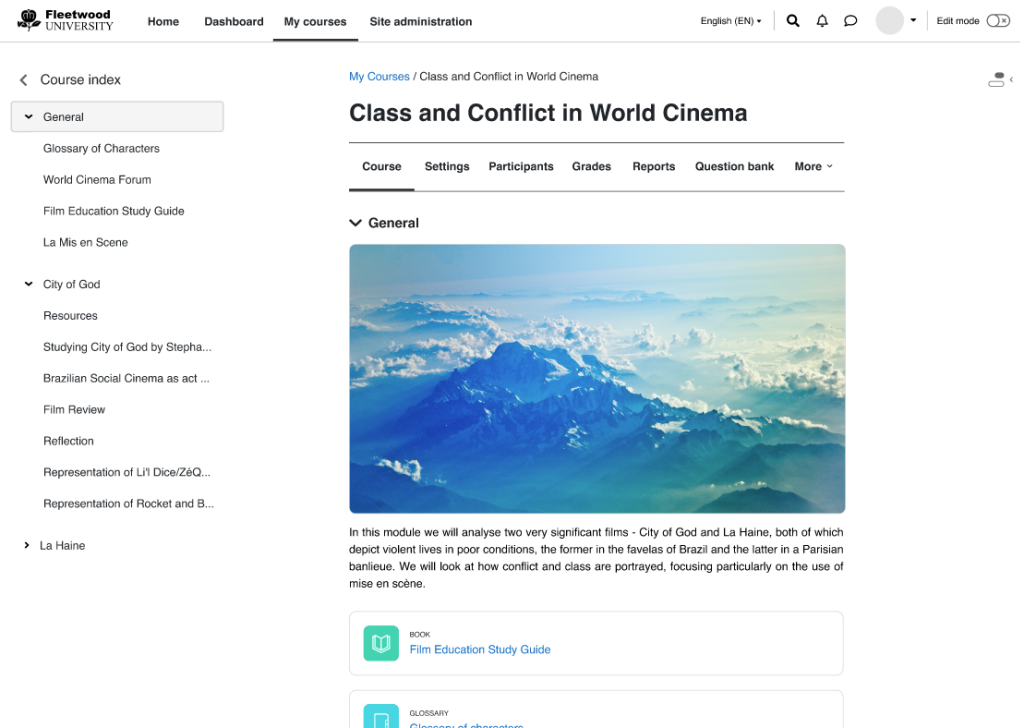
What makes Moodle stand out:
- Over 2,000 plugins covering everything from gamification to anti-plagiarism to video conferencing integration
- SCORM and xAPI compliant for importing and tracking standardized course content
- Highly active community with extensive documentation at docs.moodle.org
- Supports competency-based learning, learning paths, and adaptive activities
- Mobile app available for iOS and Android
- Multilingual support with 100+ language packs
Hosting requirements: Runs on any standard LAMP stack. A shared hosting plan works for small deployments; VPS recommended for 100+ concurrent users.
Want to install Moodle?
Bring it live in 30 seconds with one-click deployment on our Web Hosting plans. ⚡ Softaculous
Open edX — Enterprise-Scale MOOC Platform
Best for: Large institutions, MOOCs, corporate universities, degree programs
Website: openedx.org | License: AGPL v3 | Language: Python (Django)
Developed by Harvard and MIT, Open edX powers edX.org and thousands of learning sites worldwide. It’s purpose-built for massive scale — think thousands of concurrent learners across hundreds of courses.
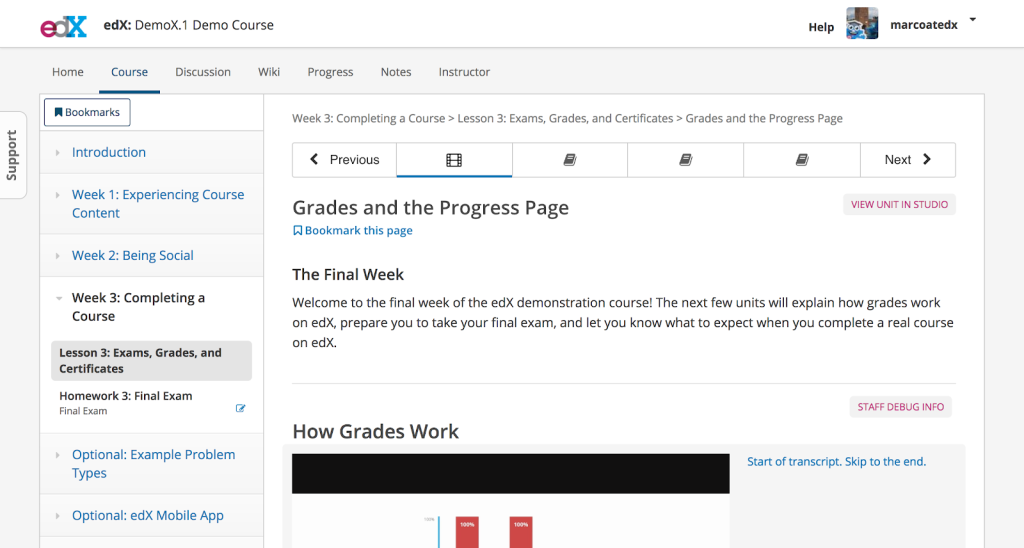
What makes Open edX stand out:
- Proven at scale: powers platforms serving millions of learners
- Supports MOOCs, blended learning, instructor-led courses, self-paced modules, and full degree programs on a single platform
- Rich course authoring studio with drag-and-drop content creation
- Discussion forums, peer assessments, and collaborative learning tools built in
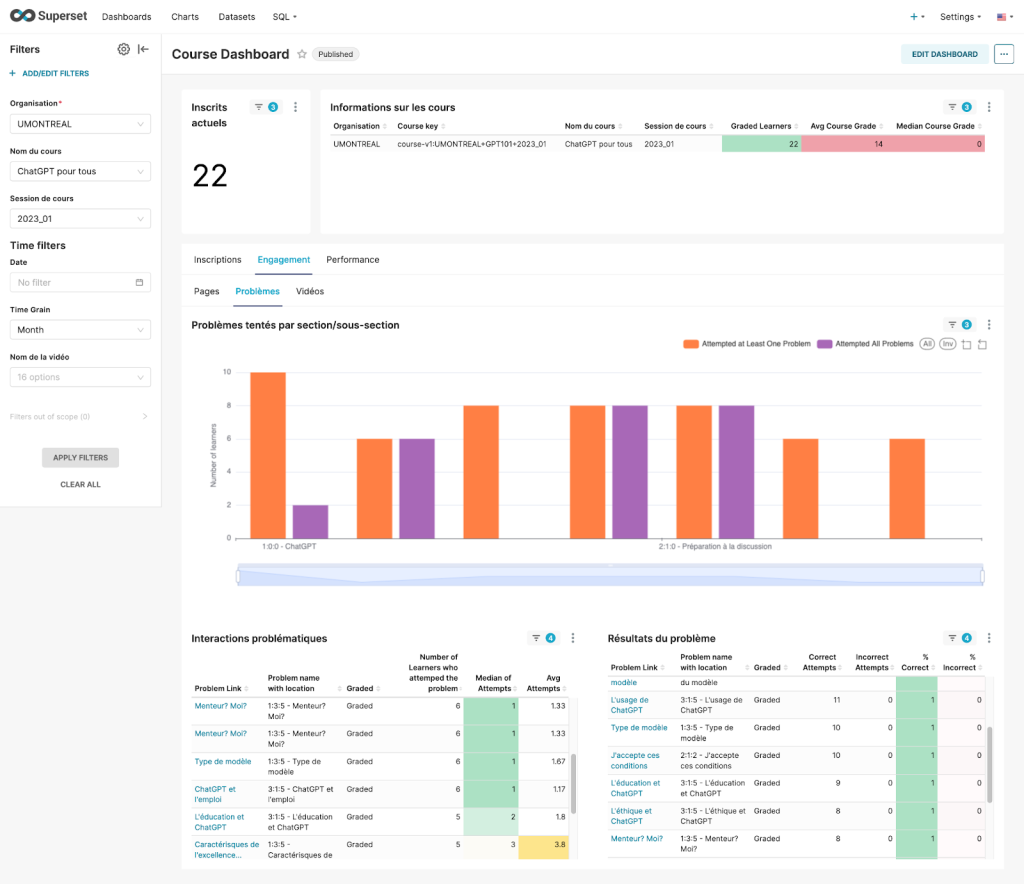
- Learner dashboards with detailed progress tracking
- Active community managed by Axim Collaborative, with multiple working groups
Hosting requirements: More demanding than PHP-based options. Recommended deployment uses Tutor (Docker-based). VPS or dedicated server required — minimum 8GB RAM for production use.
Canvas LMS — Modern Interface, Ivy League Adoption
Best for: Higher education, corporate training, organizations that value UX
Website: instructure.com | GitHub License:AGPL v3 | Language: Ruby on Rails
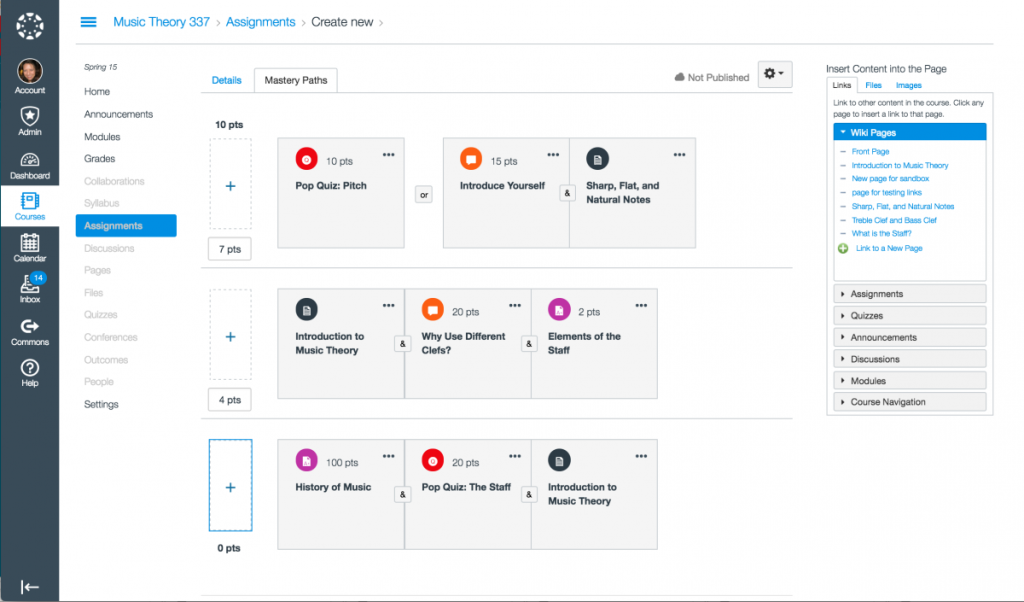
Canvas LMS by Instructure is used by every Ivy League school and serves 30+ million users globally, including Fortune 500 companies like Spotify and Red Hat. The open-source community edition gives you access to the same core platform.
What makes Canvas stand out:
- Clean, intuitive interface that reduces training time for both instructors and learners
- Excellent mobile experience with responsive design
- Built-in video integration and multimedia support
- Peer assessment and collaborative tools
- SpeedGrader for fast, efficient assignment evaluation
- SCORM compliant with strong LTI (Learning Tools Interoperability) support
- 6,300+ GitHub stars and active open-source community
Hosting requirements: Requires Ruby on Rails environment, PostgreSQL, and Redis. More complex to set up than PHP-based options. VPS or dedicated server recommended.
Chamilo — Lightweight and Beginner-Friendly
Best for: Small to mid-size organizations, first-time LMS deployers, budget-conscious teams
Website: chamilo.org | License: GPL v3 | Language: PHP + MySQL
Chamilo is a versatile self-hosted LMS that balances features with simplicity. It’s lighter on server resources than Moodle and easier to configure out of the box, making it a strong choice for organizations that need to get up and running quickly.
What makes Chamilo stand out:
- Fast setup with an intuitive course creation interface
- Built-in social learning features including an internal social network
- Adaptive assessment tools that adjust to learner performance
- Mobile learning support
- Skills management and competency tracking
- Multilingual support with 40+ language packs
- Active open-source community and regular updates
Hosting requirements: Lightweight. Runs well on shared hosting for small deployments. VPS recommended for 50+ concurrent users.
Want to install Chamilo?
Bring it live in 30 seconds with one-click deployment on our Web Hosting plans. ⚡ Softaculous
ILIAS — Built for Compliance and Regulated Industries
Best for: Universities, government agencies, healthcare, regulated corporate environments Website: ilias.de | License:GPL v3 | Language: PHP + MySQL
ILIAS (Integriertes Lern-, Informations- und Arbeitskooperations-System) is a German-engineered open-source LMS with particularly strong assessment and compliance capabilities. It’s widely used in universities and public administrations across Europe.
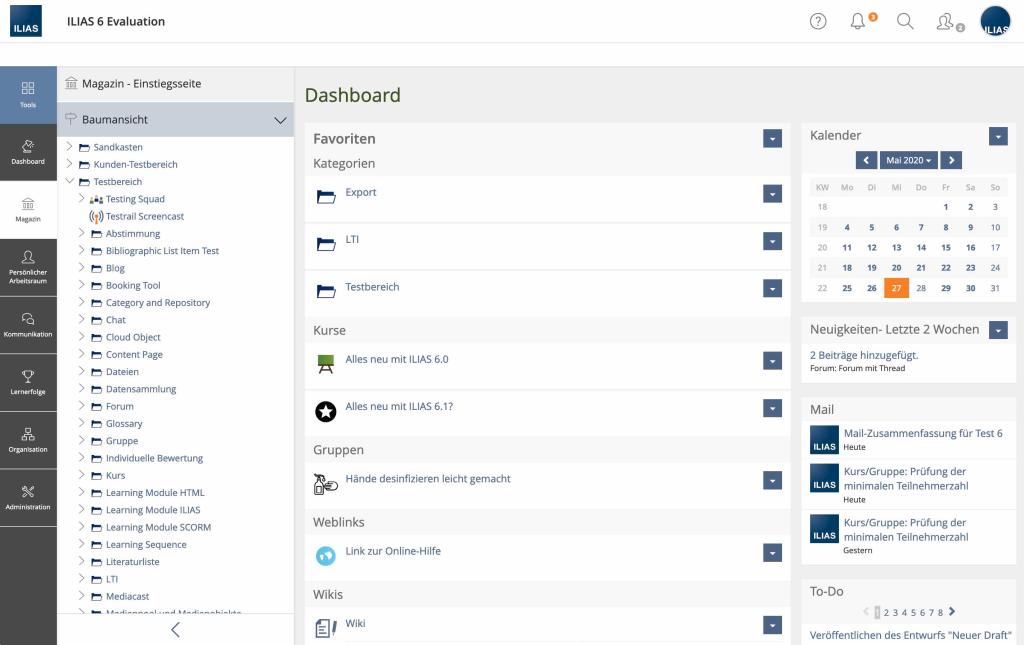
What makes ILIAS stand out:
- SCORM 2004 compliant with comprehensive test and survey tools
- Built-in e-exam capabilities with secure browser integration
- Rich collaboration tools: wikis, blogs, portfolios, forums, chat, podcasting
- Multiple authentication protocols (CAS, LDAP, SOAP, RADIUS, Shibboleth)
- Centralized content repository for managing and reusing learning materials
- Extensible plugin architecture
- Regular ILIAS conferences and active development community
Hosting requirements: Standard PHP + MySQL server. Runs on shared hosting for small instances. VPS recommended for institutional deployments.
Want to install ILIAS?
Bring it live in 30 seconds — 1 click from your control panel. ⚡ Softaculous
Gibbon — All-in-One School Management
Best for: K-12 schools needing both LMS and school administration in one system
Website: gibbonedu.org | License:GPL v3 | Language: PHP + MySQL
Gibbon is an open-source school platform built by educators for educators. Unlike standalone LMS platforms, Gibbon integrates student data management with teaching tools, creating a single system for understanding, communicating with, and supporting students.
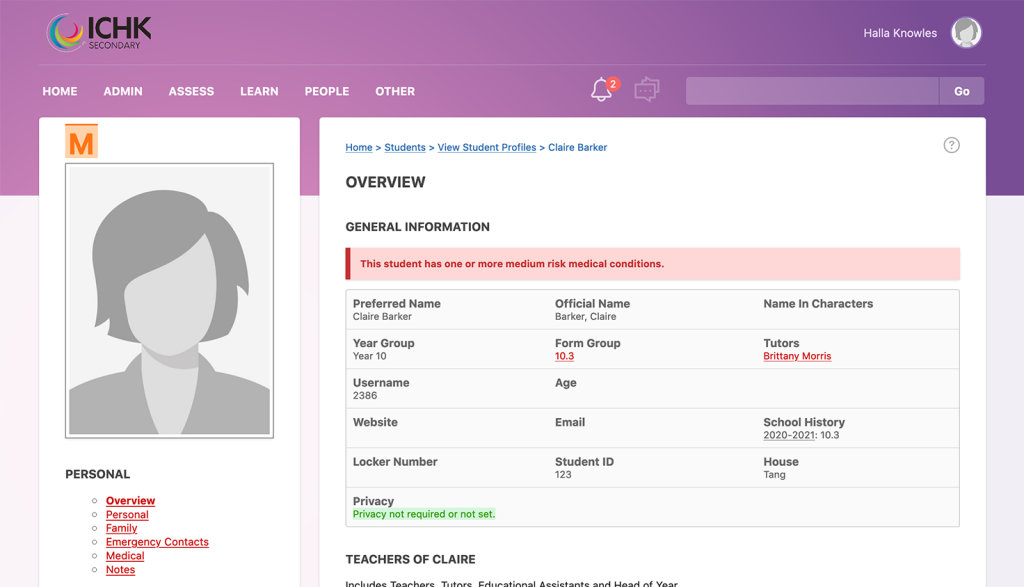
What makes Gibbon stand out:
- Combines LMS with student information system (attendance, grades, demographics, timetabling)
- Streamlined workflow: plan → teach → collect → assess → give feedback — all in one system
- Designed by teachers to solve real classroom challenges
- User-friendly interface requiring minimal technical expertise
- Modular design that lets schools enable only what they need
- Active community with detailed documentation
Feature overview: gibbonedu.org/features
Hosting requirements: Very lightweight. Runs comfortably on basic shared hosting.
Want to install Gibbon?
Bring it live in 30 seconds with one-click deployment on our Web Hosting plans. ⚡ Softaculous
OpenOlat — Modular Course Design with Compliance Tracking
Best for: Universities and corporate training departments needing sophisticated assessments
Website: openolat.com | < License: Apache 2.0 | Language: Java
OpenOlat is a Java-based open-source LMS with a modular toolkit that gives educators extensive control over course structure, assessments, and learning paths. It’s particularly strong for organizations that need compliance tracking and detailed learner analytics.
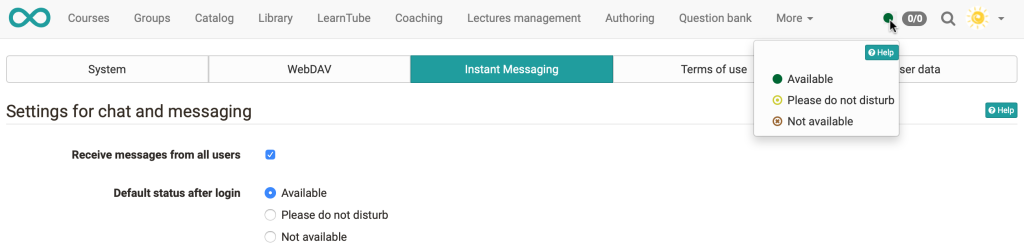
What makes OpenOlat stand out:
- Modular course editor with flexible building-block approach to course creation
- Central question bank for creating, sharing, and reusing assessment items
- Wide range of learning resources: video, wikis, glossaries, blogs, portfolios
- Virtual classroom integration with BigBlueButton and Zoom
- LTI and SCORM compliance
- Strong communication tools: forums, chats, shared folders
- Compliance tracking and certification management
Hosting requirements: Java application server (Tomcat). More setup complexity than PHP options. VPS or dedicated server recommended.
Forma LMS — Purpose-Built for Corporate Training
Best for: Companies and organizations focused on employee training and onboarding
Website: formalms.org | License:GPL v2 | Language: PHP + MySQL
Forma LMS is an Italian-developed open-source LMS specifically designed for corporate training environments. While most LMS platforms originate from education, Forma LMS is built from the ground up for business workflows, making it uniquely suited for organizations with existing enterprise systems.
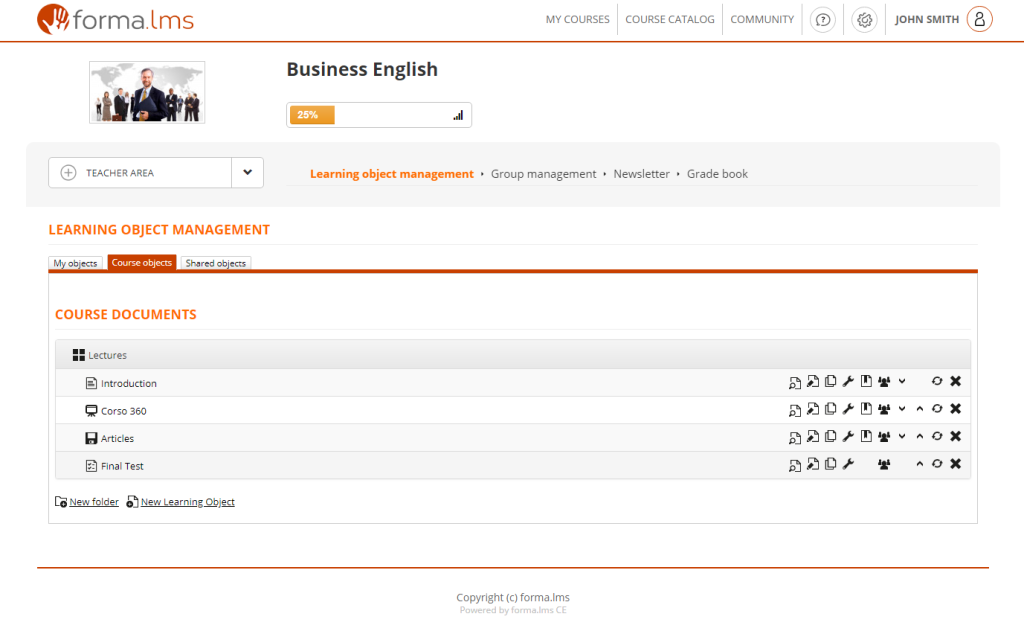
What makes Forma LMS stand out:
- Tailored for corporate training with workflow-driven course management
- API connectors for seamless integration with intranet software, HR systems, and CRMs
- Flexible user management with organizational hierarchy support
- Supports instructor-led training, blended learning, and self-paced courses
- SCORM compliant for importing third-party course content
- Reporting tools designed for corporate KPIs and compliance tracking
- Lightweight enough to run on standard web hosting
Hosting requirements: Standard PHP + MySQL. Runs on shared hosting. VPS recommended for 100+ users.
Want to install Forma LMS?
Bring it live in 30 seconds with one-click deployment on our Web Hosting plans. ⚡ Softaculous
RosarioSIS — Full Student Information System
Best for: K-12 schools needing comprehensive student record management alongside learning tools
Website: rosariosis.org | License: GPL v2 | Language: PHP + PostgreSQL
RosarioSIS is a free, open-source Student Information System (SIS) that goes beyond course delivery. It consolidates student demographics, academic grades, class schedules, attendance records, billing, disciplinary actions, and food service management into a single web-based application.
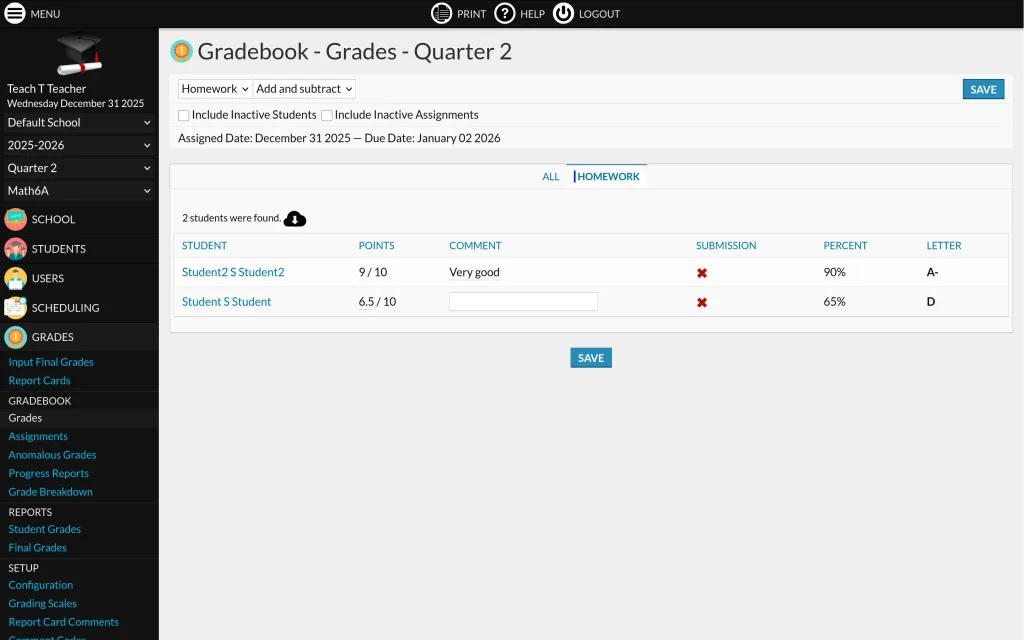
What makes RosarioSIS stand out:
- Comprehensive student data management well beyond what a typical LMS offers
- Grade book, attendance tracking, scheduling, and billing in one system
- Designed primarily for K-12 but adaptable for colleges and training institutes
- Available in 30+ languages
- Active development with regular updates
- Lightweight footprint suitable for schools with limited IT resources
Full presentation: rosariosis.org/presentation
Hosting requirements: PHP + PostgreSQL (note: PostgreSQL, not MySQL). Runs on shared hosting.
Want to install RosarioSIS?
Bring it live in 30 seconds with one-click deployment on our Web Hosting plans. ⚡ Softaculous
TCExam — Dedicated Computer-Based Testing
Best for: Organizations that need a focused, no-frills exam and assessment platform Website: tcexam.org GitHub:github.com/tecnickcom/tcexam License: AGPL v3 | Language: PHP + MySQL/PostgreSQL
TCExam is not a full LMS — it’s a specialized open-source platform for electronic exams (Computer-Based Assessment). If your primary need is creating, scheduling, and administering tests rather than delivering courses, TCExam does that job exceptionally well with minimal overhead.
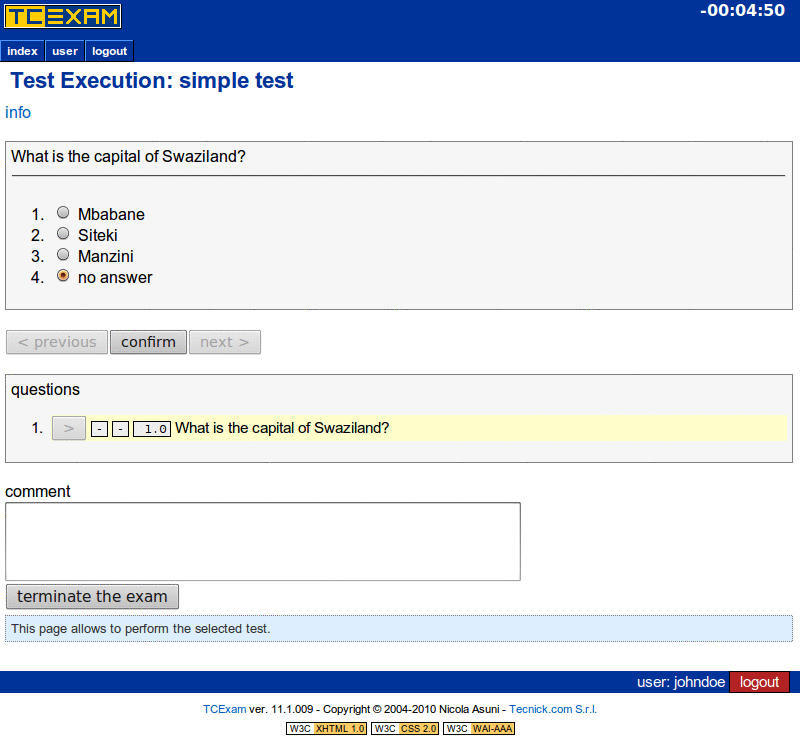
What makes TCExam stand out:
- Purpose-built for exam creation, scheduling, and administration
- Supports multiple question types: multiple choice, open-ended, matching, ordering
- Automatic and manual grading capabilities
- Randomized question ordering and answer shuffling for exam integrity
- Detailed results analysis and reporting
- Exhaustive documentation and regular updates
- Extremely lightweight — runs on basic shared hosting
Hosting requirements: Minimal. Any shared hosting plan with PHP and MySQL/PostgreSQL.
Want to install TCExam?
Bring it live in 30 seconds with one-click deployment on our Web Hosting plans.⚡ Softaculous
How to Choose the Right Self-Hosted LMS
With 10 options on the table, how do you narrow it down? Start with your primary use case:
For K-12 schools: Gibbon or RosarioSIS give you school management plus learning tools in one system. Gibbon is more LMS-focused; RosarioSIS is more administration-focused.
For universities and higher education: Moodle, Open edX, or Canvas LMS. Moodle offers the deepest plugin ecosystem, Open edX handles the largest scale, and Canvas provides the most modern user experience.
For corporate training: Forma LMS or OpenOlat. Forma integrates with enterprise systems; OpenOlat excels at compliance tracking and modular course design.
For MOOCs and online course businesses: Open edX is designed for this. Canvas is also strong here with its intuitive student-facing interface.
For exams and assessments specifically: TCExam is the focused tool. Pair it with a full LMS if you also need course delivery.
For compliance-heavy industries: ILIAS has the strongest assessment and authentication capabilities for regulated environments.
For beginners or small teams: Chamilo offers the fastest path from installation to a working course, with minimal technical knowledge required.
How to Get Started with a Self-Hosted LMS
Setting up a self-hosted learning platform is simpler than most people expect. Here’s the process:
- Choose a hosting plan. A shared hosting account handles most small-to-medium deployments. For larger installations (100+ concurrent users), a VPS or dedicated server provides the resources you need.
- Install your LMS. Most of the PHP-based platforms listed here (Moodle, Chamilo, ILIAS, Gibbon, Forma LMS, RosarioSIS, TCExam) can be installed with a one-click installer from your hosting control panel. Python-based (Open edX) and Ruby-based (Canvas) platforms require more manual setup.
- Configure and customize. Set up your branding, create your first course, and configure user roles and permissions.
- Import or create content. Upload existing SCORM packages, build courses natively, or use a combination of both.
- Launch and iterate. Start with a pilot group, gather feedback, and refine before full rollout.
At HostStage, all the PHP-based LMS platforms in this guide are supported on our shared hosting plans with one-click installation. Our 24/7 support team can assist with the setup process, so the technical barrier to getting started is essentially zero.
Frequently Asked Questions
What is the best self hosted LMS for small businesses?
For small businesses, Chamilo offers the best balance of features and simplicity. It’s lightweight, installs quickly, and includes built-in social learning and skills management without the configuration complexity of larger platforms like Moodle. If your needs are primarily corporate training, Forma LMS is also worth evaluating for its business-workflow focus.
Is Moodle still the best open source LMS?
Moodle remains the most popular and widely deployed self hosted LMS, with over 2,000 plugins and the largest community. However, “best” depends on your needs. Open edX surpasses Moodle for massive-scale deployments, Canvas offers a more modern user interface, and specialized options like ILIAS or Forma LMS may be better fits for specific industries. Many organizations evaluate multiple self-hosted LMS alternatives before deciding.
Can I run a self hosted LMS on shared hosting?
Yes. Most PHP-based self hosted LMS platforms (Moodle, Chamilo, ILIAS, Gibbon, Forma LMS, RosarioSIS, TCExam) run on standard shared hosting. This makes LMS hosting accessible even for small organizations — the best LMS hosting doesn’t require complex infrastructure. Shared hosting is suitable for small to medium deployments (up to about 50 concurrent users). For larger installations, upgrading to a VPS provides more CPU, RAM, and database performance.
What is the difference between a self-hosted LMS and a SaaS LMS?
A self-hosted LMS is installed on your own server, giving you full control over the software, data, and customization. A SaaS LMS is hosted by a vendor and accessed through a subscription. Self-hosted offers more flexibility and data ownership at the cost of managing your own infrastructure. SaaS offers convenience but comes with per-user pricing, limited customization, and vendor dependency.
How much does it cost to self-host an LMS?
The LMS software itself is free (open source). Your costs are hosting and any custom development. A shared hosting plan suitable for a small LMS deployment starts at a few dollars per month. A VPS for medium-scale use runs $10–50/month. The total cost is typically a fraction of SaaS alternatives, especially as your user count grows.
Which self-hosted LMS supports SCORM?
Most self-hosted LMS platforms support SCORM, including Moodle (SCORM 1.2 and 2004), Open edX, Canvas LMS, ILIAS (SCORM 2004), Chamilo, OpenOlat, and Forma LMS. SCORM compliance lets you import standardized course packages from third-party content providers, ensuring portability across platforms.
Can I use a self hosted LMS for language learning?
Yes. Several self hosted learning platforms work well for self hosted language learning programs. Moodle has dedicated language-learning plugins (including spaced repetition and pronunciation tools), Chamilo supports multilingual content delivery, and Open edX powers many language MOOCs. The key advantage over SaaS is that you can customize the learning path specifically for your language curriculum without per-student fees.
Can I migrate from a SaaS LMS to a self-hosted one?
Yes, migration is possible and is one of the advantages of standards like SCORM and xAPI. Courses exported in these formats can be imported into most self-hosted platforms. User data migration may require custom scripting depending on the source and destination platforms. Planning a parallel run period helps ensure a smooth transition.