Remote Work Tools That Actually Make a Difference
Remote work has matured from a temporary workaround into a long-term operating model for many companies. Teams now depend on digital tools not just for productivity, but for communication, accountability, and stability. Without a thoughtful setup, remote work can quickly introduce friction, misalignment, and isolation. With the right tools, however, teams can operate with clarity and autonomy regardless of location. The difference lies less in the number of tools and more in how intentionally they are chosen and used.
Remote work tools should support existing workflows instead of forcing teams to change how they naturally work. In practice, choosing the right remote work software determines whether teams gain flexibility or struggle with unnecessary friction. When tools are aligned with real needs, they fade into the background and let people focus on outcomes. When they are misaligned, they become constant interruptions.
As remote work becomes more permanent, expectations also rise. Teams expect tools to be reliable, intuitive, and adaptable to different working styles. Poor tooling decisions tend to surface slowly, through small inefficiencies that compound over time. Addressing these issues early prevents frustration and long-term productivity loss.
Core Categories of Remote Work Tools
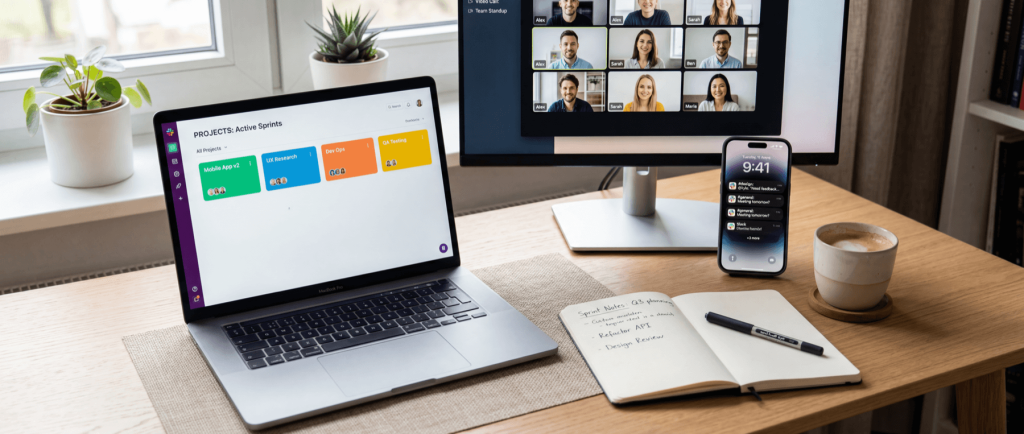
Most remote work environments rely on a similar set of tool categories, even if the specific products differ. These categories form the foundation of modern remote work software stacks used by distributed teams. Understanding these categories helps teams avoid overlaps and gaps in their stack.
Communication tools
These enable conversation across time zones and working hours, and they should support both quick exchanges and long-form discussions. Without clear communication channels, teams tend to overuse meetings or fall back to fragmented email threads.
Project and task management tools
These tools give structure to work by defining priorities, deadlines, and ownership. They reduce uncertainty by making expectations visible to everyone involved.
Documentation and collaboration tools
Centralized documentation prevents knowledge loss and reduces reliance on individuals as information bottlenecks. Over time, this creates a shared memory for the organization.
File sharing and cloud storage
These systems ensure files are accessible, current, and protected regardless of where employees are working from. Poor file management often leads to duplicated work and version confusion.
Culture and people management tools
These support the human side of remote work, where informal office signals no longer exist. They help teams stay connected and managers stay informed.
Each category solves a different problem, but they are tightly connected. Weakness in one area often puts pressure on another, such as poor documentation increasing the need for meetings. A balanced stack spreads effort evenly instead of concentrating it in one place.
Communication Tools: The Foundation of Remote Work

Communication is the most fragile part of remote work if left unmanaged. Clear communication platforms are among the most critical tools for working remotely, especially for distributed teams. In distributed teams, silence can easily be misinterpreted as disengagement or delay. Good communication tools create predictable spaces for discussion, decisions, and updates. They also reduce the need for constant check-ins by making conversations visible and searchable.
Async communication is particularly important for sustainable remote work. It allows people to work during their most productive hours instead of aligning everything around meetings. Teams that embrace async tend to document more and interrupt less. Over time, this leads to clearer thinking and fewer rushed decisions.
Clear communication norms matter just as much as the tools themselves. Teams need shared expectations around response times, channels, and meeting usage. Without this, even the best communication tools become noisy and stressful. Tools should reinforce good habits, not compensate for unclear rules.
Project and Task Management Tools
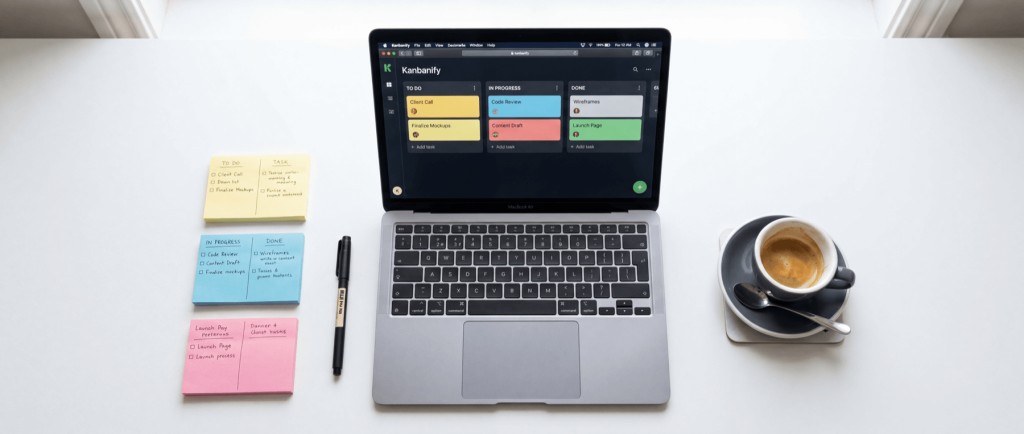
Project and task management tools provide structure in environments where informal coordination is no longer possible. They replace hallway conversations and visual cues with explicit systems.
- Ownership clarity: Assigning clear owners prevents tasks from stalling due to assumed responsibility. This is especially important when managers cannot physically observe progress.
- Progress visibility: Seeing work move through stages builds trust and reduces the need for status updates. It also helps teams identify bottlenecks early.
- Workflow consistency: Consistent workflows make collaboration easier across teams and departments. They also simplify onboarding for new team members.
These tools work best when they are treated as the single source of truth, not just a planning aid.
Over-engineering task systems can be just as harmful as having none at all. If updating tasks becomes a chore, teams will bypass the tool entirely. The goal is to reflect real work, not create an administrative burden. Simple, clearly defined workflows tend to outperform complex ones.
Documentation and Knowledge Sharing
Documentation is often undervalued until something breaks or someone leaves. In remote teams, documentation becomes essential infrastructure rather than a nice-to-have. Written knowledge reduces dependency on synchronous explanations and protects teams from losing context over time.
Strong documentation practices also improve decision-making. When decisions are recorded along with their reasoning, teams avoid repeating the same debates. Documentation tools should encourage clarity, not perfection, and allow content to evolve as the team learns. Over time, even imperfect documentation compounds into a powerful resource.
Teams should treat documentation as a living system rather than an archive. Regular updates prevent knowledge rot and outdated instructions. Encouraging small, frequent improvements keeps documentation relevant and usable. This mindset lowers the barrier to contribution and increases long-term value.
File Sharing and Cloud Storage
File management issues scale quickly in remote environments. What starts as a minor inconvenience can turn into lost data or duplicated effort.
- Version control: Clear versioning prevents mistakes caused by outdated files. This is especially critical for shared documents and client-facing materials.
- Access management: Permission controls protect sensitive information while still enabling collaboration. They also reduce risk when roles change.
- Cross-tool integration: Integrated file systems reduce friction by letting teams access documents directly from their workflows. This saves time and keeps context intact.
A well-organized file system supports focus rather than distracting from it.
Naming conventions and folder structure matter more than most teams expect. Without agreed standards, even powerful storage tools become chaotic. Clear ownership over shared spaces prevents sprawl and confusion. Small organizational decisions here pay off daily.
Tools That Support Remote Team Culture

Remote culture does not emerge automatically. Without deliberate effort, teams can drift into isolation and disengagement. Culture tools help replace informal interactions with intentional touchpoints.
They support onboarding by making expectations and values explicit from day one. Feedback tools allow employees to share concerns without relying on proximity. Engagement tools give managers insight into team health before problems become visible. Used correctly, these tools strengthen trust rather than feeling intrusive.
Culture tools should never feel like surveillance. Transparency about what is measured and why is essential. When employees understand the purpose, participation improves. Trust is built through consistency, not constant monitoring.
Security and Access in Remote Environments

Remote work changes the security model completely. Employees connect from home networks, personal devices, and public locations. This makes traditional perimeter-based security ineffective.
- Centralized identity management reduces the risk of weak or reused passwords across systems. It also simplifies access control when roles change.
- Secure connections protect sensitive data during transmission. This is particularly important for teams handling customer or financial information.
- Access policies limit exposure by ensuring employees only access what they need. This reduces both risk and complexity.
Security tools should support productivity while quietly enforcing boundaries.
Security awareness is just as important as tooling. Employees need to understand basic risks and responsibilities. Clear policies paired with simple tools reduce mistakes without creating fear. Good security feels boring, and that is a success.
How to Choose the Right Remote Work Tools
Choosing tools is a strategic decision, not a shopping exercise. The best tools for remote work are those that align with real workflows rather than forcing teams to adapt to rigid systems. The best tools align with how people already work and communicate. Teams should consider whether a tool encourages clarity or adds cognitive load. Integration capabilities often matter more than individual features.
Cost should be evaluated in terms of time saved and mistakes avoided, not just monthly pricing. It is usually better to adopt fewer tools well than many tools poorly. Regularly revisiting tool effectiveness helps prevent long-term stagnation.
Piloting tools with a small group before full rollout reduces risk. Feedback during trials highlights hidden friction early. Decisions based on real usage outperform decisions based on demos. Adoption is the true measure of success.
Common Mistakes Teams Make
Remote teams often repeat the same mistakes when building their stack. Many of these mistakes stem from adopting tools for working remotely without clear ownership or guidelines.
- Adding too many tools too quickly overwhelms users and fragments attention. Adoption drops when teams are unsure where to work.
- Forcing synchronous communication creates unnecessary pressure and meeting fatigue. Not everything needs to happen in real time.
- Skipping onboarding leads to inconsistent tool usage. Even excellent tools fail without shared understanding.
Most tool problems are process problems in disguise.
Another common mistake is treating tools as permanent decisions. Teams evolve, and tools should evolve with them. Sticking with a poor fit out of habit creates long-term inefficiency. Periodic reassessment keeps the stack healthy.
The Future of Remote Work Tools

Remote work tools are becoming smarter and more interconnected. AI is increasingly used to summarize conversations, automate repetitive tasks, and surface relevant information at the right time. This reduces manual overhead and improves focus.
At the same time, tools are shifting toward async-first design. This reflects the reality of global teams and flexible schedules. Future tools will likely prioritize clarity, automation, and adaptability over raw feature count.
Interoperability will become a major differentiator. Teams expect tools to work together seamlessly. Closed ecosystems will struggle as expectations rise. Flexibility and openness will define the next generation of remote tooling.
Conclusion
Remote work tools shape how teams think, communicate, and deliver. Selecting the best tools for remote work requires ongoing evaluation as teams grow and change. When chosen thoughtfully, they create structure without rigidity and autonomy without chaos. The most effective remote teams continuously refine their tool stack as they grow. Tools should evolve with the team, not lock it into outdated workflows.
Ultimately, tools are only as good as the habits they support. Clear processes, trust, and accountability matter more than any platform. The right tools amplify these qualities rather than replacing them.
Reliable Hosting for Remote-First Teams with HostStage
For remote teams running internal platforms, documentation systems, or business websites, reliable hosting is a non-negotiable foundation. HostStage’s Business Shared Hosting plan is well-suited for these needs, offering NVMe SSD storage for fast access, dedicated RAM resources for consistent performance, support for multiple domains, and full cPanel control for easy management. This plan allows remote teams to host internal tools and public-facing resources without worrying about performance dips or administrative overhead.
Stable infrastructure removes an entire class of problems from remote operations. When hosting is predictable, teams can focus on collaboration and delivery instead of troubleshooting. For small to mid-sized distributed teams, this balance of performance and simplicity is often exactly what is needed.