
Best VPN for Digital Nomads: How Secure Connectivity Became Part of the Job
For digital nomads, internet access is not a convenience. It is the thing that allows you to work, get paid, stay logged into systems, and avoid having your accounts frozen while you are halfway across the world. A few years ago, VPNs were mostly discussed in the context of privacy or bypassing geo-blocks. Today, for anyone working remotely across borders, they have quietly shifted into something closer to infrastructure. This shift is why choosing the best VPN for digital nomads has become a practical requirement rather than a lifestyle preference.
What changed is not just where people work from, but how platforms behave. More aggressive fraud detection, stricter access policies, and constant background verification mean that being online from “unexpected” locations now causes real friction. VPNs are increasingly used not to disappear, but to look consistent. For many remote workers, the best VPN for digital nomads is simply the one that keeps access predictable as locations keep changing. For digital nomads, the best VPN is the one that makes your internet presence boring, predictable, and reliable. This reflects broader digital nomad trends where tools are judged less by features and more by how well they support mobility.
Why VPN Usage Looks Different for Digital Nomads Than It Used To
Public Wi-Fi has always been insecure, but the stakes are higher when you are logged into work systems all day instead of checking email for an hour. Coworking spaces, cafés, and short-term rentals all rely on shared networks with unknown configurations. A VPN still does what it always did here: encrypt traffic so credentials, sessions, and sensitive data are not exposed to the local network.
What has changed is how often nomads run into access issues even on secure connections. Email providers, banks, CRMs, and internal dashboards now correlate IP location, login patterns, and device fingerprints far more aggressively than they did in the past. Logging in from three countries in a week is no longer unusual for nomads, but it is still unusual for most security systems. This is why a digital nomad VPN is increasingly used to stabilize access patterns rather than to obscure location. Using a VPN endpoint in a stable region reduces the number of times you have to prove that yes, it is still you.
Over time, many nomads stop thinking about VPNs as privacy tools and start thinking about them as continuity tools. Seen over time, these changes align closely with wider digital nomad trends around remote work, security expectations, and location independence. The goal is not anonymity. The goal is to keep your tools usable while your physical location keeps changing.
What Actually Makes a VPN Work Well for Nomadic Life

A VPN that looks good on paper can still be frustrating in real nomad conditions. The difference usually shows up after a few weeks of daily use. Many of these observations effectively function as digital nomad tips, even though they are usually learned through experience rather than formal advice.
- Server coverage that matches where people actually stay: Nomads tend to cluster in specific regions rather than evenly across the globe. VPNs that perform well in Europe and Southeast Asia but struggle elsewhere often cause latency issues that compound over long workdays.
- Stability on unreliable networks: Hotel Wi-Fi, mobile hotspots, and café routers drop packets, reset connections, and change conditions constantly. VPNs that disconnect aggressively turn these small issues into broken calls and failed logins. Providers that handle brief instability without tearing down the tunnel are noticeably easier to live with.
- Performance under real workloads: Speed tests rarely reflect reality. What matters is whether video calls stay clear, SSH sessions stay alive, and cloud dashboards respond predictably. VPNs optimized for modern protocols tend to degrade more gracefully under load, which becomes obvious when you work eight hours a day through them.
- Modern protocols and efficiency: Older VPN protocols often struggle with mobile networks and consume more power. As nomads increasingly rely on laptops and phones away from power outlets, efficient protocols are no longer a nice bonus but a practical necessity.
- Security features that behave predictably: Kill switches, DNS handling, and IPv6 support stop being abstract features once a dropped tunnel exposes a work session. VPNs that fail silently teach users to distrust them, while those that behave consistently fade into the background.
- Consistent experience across devices: Switching between laptop and phone is routine for nomads. VPNs that behave differently on each platform introduce friction that adds up over time, especially when tethering or moving between networks.
How VPNs End Up Being Used in Day-to-Day Nomad Work
Most digital nomads start using a VPN for one reason and end up relying on it for many others, gradually turning it into a core digital nomad VPN rather than an occasional tool.
Shared networks as the default environment
Working from coworking spaces, cafés, and temporary apartments quickly becomes routine, and encrypted traffic turns into the baseline rather than the exception. After a while, connecting to public Wi-Fi without a VPN simply feels wrong, not because of paranoia, but because the risk is unnecessary and avoidable.
Account friction from constant location changes
Accessing work systems from abroad increasingly triggers security challenges, CAPTCHAs, or temporary access blocks. Over time, VPN usage shifts away from hiding location and toward maintaining a consistent access pattern that aligns better with how modern platforms evaluate risk.
Predictability over anonymity
Email providers, banks, and SaaS platforms expect behavior that looks stable and repeatable. Many nomads notice that issues quietly disappear when logins come from the same region for long stretches, even while their physical location continues to change.
Personal access still matters
Downtime does not stop being important just because someone is traveling. Being able to access subscriptions, media libraries, and personal services from “home” becomes a small but meaningful quality-of-life improvement after long workdays.
Connectivity in restrictive or unstable regions
In places with unreliable infrastructure or filtered internet access, VPNs shift from optional privacy tools to basic connectivity layers. They are often the difference between a usable connection and one that constantly breaks or degrades.
Why Performance Feels Different on the Road Than at Home
Nomads quickly learn that bandwidth is not the main bottleneck. This is also where expectations around the best VPN for digital nomads tend to change, as real-world performance becomes more important than advertised speeds. Latency, routing quality, and packet loss shape the experience far more than headline speeds. A server that is geographically closer but poorly connected can feel worse than one farther away with better peering.
As VPN usage becomes constant rather than occasional, always-on tunneling starts to show downsides. Split tunneling grows in popularity not because it is trendy, but because it reduces friction. Routing only the traffic that benefits from a VPN while letting local services connect directly often restores responsiveness without sacrificing security.
VPN clients that are inefficient or poorly optimized make long travel days harder than they need to be. Over time, nomads gravitate toward tools that conserve power simply because they are easier to live with.
Self-Hosting WireGuard: The Best VPN for Digital Nomads Who Want Full Control
Every commercial VPN listed later in this article solves real problems. But for digital nomads who want the fastest, most private, and most reliable VPN experience possible, there is a fundamentally better approach: running your own WireGuard server on a VPS you control.
This is not a theoretical advantage. WireGuard is a modern VPN protocol that is now built into the Linux kernel. It uses roughly 4,000 lines of code compared to the 100,000+ in OpenVPN, which means a smaller attack surface, faster audits, and fewer things that can break. For nomads who depend on their VPN every working hour, that simplicity translates directly into reliability.
Why WireGuard on your own VPS changes everything
You own the exit node. With a commercial VPN, your traffic exits through shared servers alongside thousands of other users. With a self-hosted WireGuard instance, your traffic exits through a dedicated IP address that only you use. No shared reputation, no crowded servers, no wondering what other users are doing on the same exit point. Banks, payment processors, and work platforms see a consistent, clean IP — which is exactly what reduces account friction.
The performance difference is real. WireGuard’s kernel-level implementation and modern cryptography (ChaCha20, Curve25519) make it measurably faster than the protocols most commercial VPNs use. On the unstable networks nomads deal with daily — café Wi-Fi, hotel hotspots, mobile tethering — WireGuard reconnects in milliseconds rather than seconds. Dropped packets do not tear down the tunnel. SSH sessions survive network switches. Video calls do not stutter when you walk between rooms.
Your data never touches a third party. Commercial VPNs promise no-log policies, and many deliver on that promise. But with self-hosted WireGuard, there is no promise required. The server is yours. The logs are yours to keep or delete. The encryption keys exist only on your devices and your server. For nomads handling client data, financial information, or anything subject to compliance requirements, this is not paranoia — it is the simplest path to provable privacy.
You choose the location. This is one of the most practical advantages for digital nomads. Instead of being limited to whatever server locations a commercial provider offers, you pick the exact city and data center where your VPN runs. Need a US exit point for banking while you are in Thailand? Deploy a VPS in New York. Moving to Europe for a few months and want lower latency? Spin up a server in Amsterdam. Your VPN location follows your needs, not a provider’s infrastructure map.
How simple the setup actually is
The reputation WireGuard has for being “technical” is outdated. The actual setup on a modern VPS takes about 15 minutes:
- Deploy a VPS with your preferred Linux distribution (Ubuntu, Debian, or any major distro)
- Install WireGuard (“apt install wireguard” on Ubuntu/Debian)
- Generate a key pair, configure the interface, and set up forwarding
- Generate client configs for your laptop and phone
- Connect — and it just works
There are also one-command setup scripts that automate the entire process. Once configured, WireGuard runs silently in the background and requires essentially zero maintenance. It starts automatically on boot, reconnects instantly after network changes, and uses negligible CPU and memory.
What it costs versus commercial VPNs
A typical commercial VPN runs $5–13/month. A VPS capable of running WireGuard for a single user starts at a few dollars per month and gives you a dedicated server that you can also use for other things — hosting a personal site, running scripts, keeping a dev environment accessible. The VPN is just one service on infrastructure you fully control.
For nomads who already maintain any kind of server or hosting, adding WireGuard is essentially free in both cost and effort.
When self-hosted WireGuard is the right choice
Self-hosting your VPN is the best VPN for digital nomads who value performance, privacy, and control above convenience. It is particularly well-suited for:
- Remote workers handling sensitive data — client files, financial records, health information — where provable privacy matters more than a marketing promise
- Nomads who stay in regions for weeks or months and benefit from a stable, dedicated exit IP in their home country
- Technical professionals who already work with servers and want their VPN to be part of their infrastructure rather than a separate subscription
- Anyone frustrated with shared VPN servers that get flagged, throttled, or blocked by platforms that detect commercial VPN traffic
Among the most practical digital nomad tips circulating in remote work communities is exactly this: once you self-host your VPN, the friction that commercial services introduce — shared IPs getting blocked, servers being overcrowded during peak hours, privacy policies you cannot verify — simply disappears.
🛡️ Self-Host Your VPN
Deploy WireGuard on Your Own VPS
Pick your location, own your exit node, and run the fastest VPN protocol available — on infrastructure only you control.
Dedicated IP — only yours
No shared reputation. Banks and work platforms see a clean, consistent address.
Kernel-level speed
WireGuard runs inside the Linux kernel. Sub-millisecond reconnects, zero bloat.
You pick the location
US, Europe, Asia — place your exit node where your work needs it most.
Zero third-party data exposure
No logs promises needed. Your server, your keys, your traffic.
Recommended starting point
Unmanaged VPS — Level 1
$4.99
/mo
1 vCore
1 GB DDR4
25 GB NVMe
1 Gbps
Choose your datacenter: US, EU, or Asia
WireGuard installs in under 5 minutes on any Linux VPS
VPN Providers Digital Nomads Commonly Settle On
For nomads who prefer a managed solution over self-hosting, certain providers repeatedly surface among long-term remote workers because they align well with how the work actually happens. In practice, these define what most people mean when they search for the best VPN for digital nomads.
NordVPN
NordVPN is often chosen for its balance of performance, stability, and broad regional coverage. It tends to behave well on unstable networks and during long sessions, which makes it suitable for full workdays rather than occasional use.
ExpressVPN
ExpressVPN attracts frequent movers who value predictable behavior across countries. Its client handles network changes smoothly, which reduces friction when hopping between Wi-Fi and mobile connections.
Surfshark
Surfshark appeals to nomads with many devices or shared setups. Unlimited device connections and flexible features make it easy to keep everything connected without micromanagement.
Mullvad

Mullvad is favored by users who care deeply about privacy and minimal data collection. Its approach suits technically comfortable nomads who prefer control over polish.
IPVanish
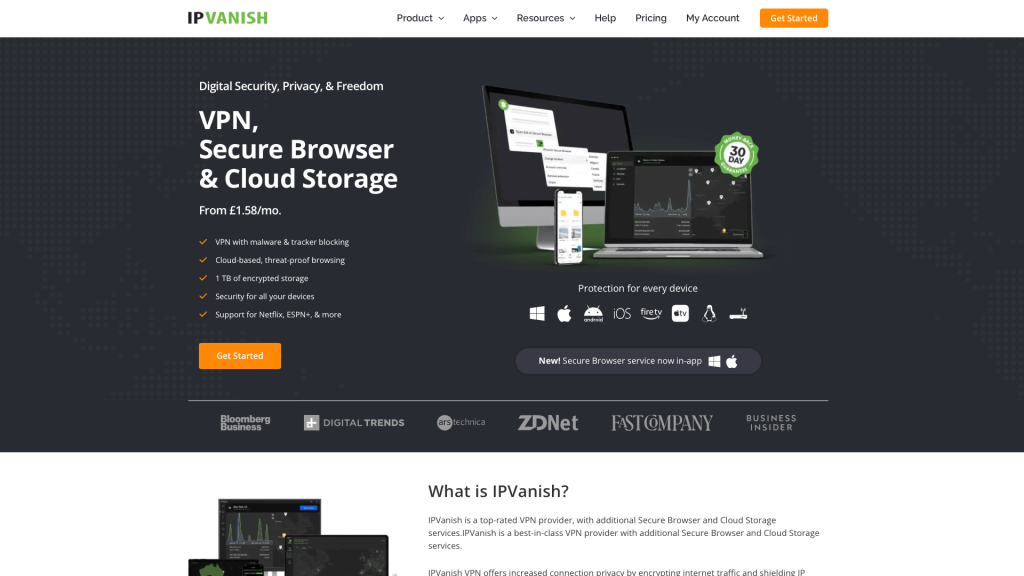
IPVanish tends to work well for heavier workloads where traffic routing matters. Features like split tunneling are used pragmatically rather than as selling points.
None of these are universally “best.” They persist because they fit real usage patterns.
Security and Legal Reality While Moving Between Countries
VPN legality varies, but the lived reality for most digital nomads is less dramatic than online discussions suggest. In many places, VPN use is either legal or tolerated when used for normal work and browsing. Enforcement typically focuses on content restrictions or misuse, not encrypted connections themselves.
What matters more is blending into expected patterns. VPNs with obfuscation features exist because some networks block common protocols, not because most users are doing anything suspicious.
A VPN still does not replace good security practices. It protects traffic, not endpoints, and it cannot compensate for outdated software or careless account hygiene.
How Nomads End Up Thinking About VPN Pricing
Many nomads start with the cheapest option available and upgrade later, usually after a dropped call, a throttled connection, or one too many account verifications. The cost of a VPN becomes easier to justify when compared to lost time or missed work.
Over time, VPN costs tend to be viewed the same way as cloud tools or backups: not exciting, but worth paying for when they quietly do their job.
Choosing a VPN Based on How You Actually Work
Digital nomads usually start by comparing features, but what ends up mattering is how a VPN behaves during an ordinary workday.
Remote employees tied into company systems tend to notice issues when sessions drop, IPs change mid-login, or access policies suddenly trigger. For this type of work, stability and predictable routing matter far more than the number of locations or advanced extras. A VPN that behaves consistently reduces friction with corporate security systems over time.
Freelancers and consultants working across many platforms run into different problems. Logging into multiple tools, switching devices, and moving between networks throughout the day makes flexibility more valuable than strict optimization. Device limits, reconnection behavior, and how gracefully the VPN handles network changes quietly determine whether it feels usable or annoying.
Slow travelers versus fast movers experience VPN quality differently. Slow travelers benefit from tuning their setup around a small group of nearby servers and rarely changing it. Fast movers care more about how quickly a VPN adapts when everything changes at once, because repeated disruptions compound fast when travel is frequent.
These patterns are often shared informally as digital nomad tips among people who have already dealt with unstable connections and account friction. In practice, the VPN that lasts is not the most impressive on a comparison page. It is the one that fits into your work patterns without demanding constant attention.
Conclusion
For digital nomads, VPNs have quietly moved from optional privacy tools to part of the basic setup that keeps work functioning across borders. The details that matter most are not flashy features, but how well a VPN handles unstable networks, repeated location changes, and long work sessions without drawing attention to itself. When chosen well, a VPN reduces friction rather than adding it, letting remote work stay predictable even as physical location keeps changing.
If you want the highest level of control, self-hosting WireGuard on your own VPS remains the single best option — dedicated IP, kernel-level performance, zero third-party data exposure, and the freedom to place your exit node wherever your work demands it.
Hosting for Digital Nomads
Secure connectivity is only one side of staying operational while moving between countries. If you also need reliable hosting for websites, applications, or client projects, HostStage offers infrastructure designed for long-term stability rather than short-term gimmicks.
The Internet Marketing Shared Hosting plan is a practical choice for digital nomads managing active sites. It includes NVMe SSD storage for fast load times, free SSL certificates, built-in CDN support, daily backups, and consistent uptime, all backed by 24/7 technical support. Combined with a solid VPN, it gives you a setup that stays dependable regardless of where you log in from.